Índice
Introdução
Circular Interface Library v2.0
Circular CAPTCHA
Portando a biblioteca de JavaScript para QML
Demo Conclusão do aplicativo móvel
Introdução
O artigo anterior foi uma introdução ao desenvolvimento de interfaces circulares. Ele discute a definição, classificação, princípios de construção de interfaces circulares, bem como uma abordagem para seu design. Este artigo descreve as principais mudanças em uma biblioteca que estou desenvolvendo para tornar mais fácil e rápida a criação de interfaces circulares.
Primeiro, foi lançada a segunda versão da biblioteca JavaScript, que implementa controles circulares.
Em segundo lugar, a biblioteca desenvolvida foi implementada em QML e um aplicativo móvel para Android foi lançado para demonstrar seus recursos .
Biblioteca de interface circular v2.0
Novos elementos de base e auxiliares
, . , 1.

. 1 –
Segment Grid – (. 1A). . , , .
Segment Spiral – (. 1B). , , . , , .
Segment Gradient “Conic” — (. 1C). , . , , «».
.
Progress Bar – . (. 2).

. 2 –
Timer – , (. 3).
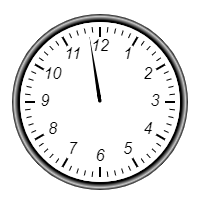
. 3 –
Gauge – (. 4). , . -.
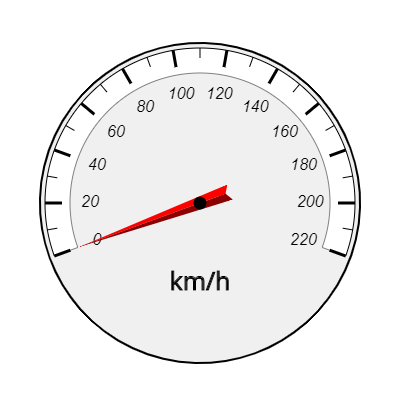
. 4 –
Chart – . 3 : «», «», «» (. 5 ).

. 5 –
Equalizer – (. 6). .

. 6 –
Knob – (. 7).

. 7 –
Volume Control – (. 8). : .
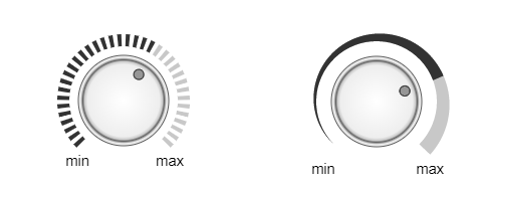
. 8 –
Radar – . (. 9). , .
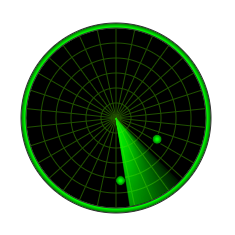
. 9 –
CAPTCHA
CAPTCHA (. 10).

. 10 – CAPTCHA
CAPTCHA — , (, ). , , , , , .
CAPTCHA , . , .
.
:
- ;
- ;
- ;
- .
.
, .
JavaScript QML
, QML .
, , , .
QML .
1.
JavaScript . QML . JS- QML- .
2. JavaScript QML
JavaScript QML . . JavaScript , dispatchEvent, .
3. QML Canvas HTML
QML Canvas c API, HTML- . .
JavaScript - . QML , context Canvas, . paint , .
Canvas , . onPaint Canvas context ( — Segment), initialized true. onPaint draw, .
QML:

JavaScript, QML requestAnimationFrame window, Canvas. , Canvas . :
QML:
segment.context.canvas.requestAnimationFrame(appearAnim);
4. setTimeout
QML setTimeout . JavaScript , Timer Utilities .
QML:
Utilities { id: utilities }
setTimeout utilities.setTimeout.
5.
, ,
JS:
Segment.prototype.calc = function() { … }
QML:
function calc() { … }
6.
JavaScript ( build) , :
JS:
let segment = new Segment (‘id’, context, cx, cy, r_in, thickness, init_angle, angle);QML:
let component = Qt.createComponent("Segment.qml");
let segment = component.createObject(parent_id, { id: ‘id’, context: this.context,
cx: this.cx, cy: this.cy, r_in: segment_r_in, thickness: segment_thickness,
init_angle: new_init_angle, angle: segment_angle });
7. MouseArea
JavaScript addEventListener, QML MouseArea. , JavaScript , , ‘mouse’ ‘wheel’ ‘e’, , :
JS:
e.offsetX
e.offsetY
e.deltaY
:
QML:
e.x
e.y
e.angleDelta.y
8.
, :
SegmentProgressBar SegmentTimer . 100% , .. , , (. 11).
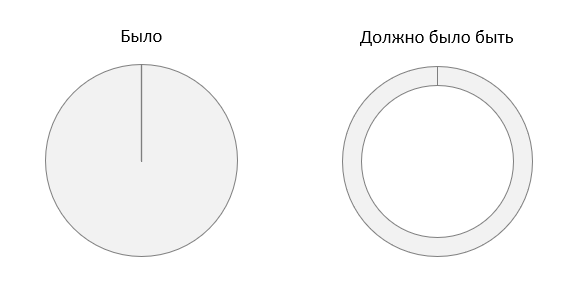
. 11 –
JavaScript- SegmentTimer SegmentProgressBar, , r_in, .. , , . .
, Segment, . Segment 360°, . . , Segment.
, 2- 2- (. 12) QML- Canvas, Context2D. .
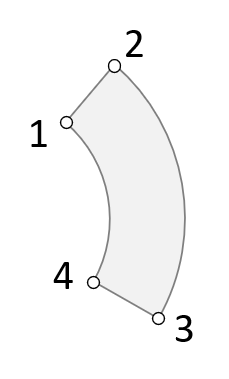
. 12 –
360° JavaScript, QML. 360°.
, , , 2D JavaScript, fillRule :
• "nonzero":
• "evenodd": -
“nonzero”.
, , beginPath, fill . , , , “evenodd”.
Context2D QML 2 fillRule:
• Qt.OddEvenFill
• Qt.WindingFill
“Qt.WindingFill”.
JavaScript- . QML-, , :
QML:
context.fillRule = Qt.OddEvenFill;
, , Segment QML, , .
. . . .


. 13 —
, « CAPTCHA», .
, JavaScript QML .
, .
: .. - QML iOS, - , , , igor@tiunovs.com.
!