Introdução
Neste artigo, tentarei percorrer todos os pontos de criação de um aplicativo Descentralizado completo na rede Ethereum da maneira mais breve e informativa possível usando a estrutura JavaScript - Vue para criar um aplicativo da web e a biblioteca ethers.js para comunicação com um contrato inteligente. Também consideraremos alguns pontos sobre como instalar e conectar uma carteira, como implantar um contrato na rede usando trufas , etc.
Alguns pontos podem parecer muito óbvios e não difíceis, portanto, você pode ignorá-los.
O que você precisa saber antes de começar:
Bons conhecimentos de js, em particular Vue.js
Compreender os princípios do Blockchain (contratos inteligentes)
Conhecimentos básicos da linguagem pr. Solidez
Instalando uma carteira
Usaremos a carteira Metamask para confirmar transações, nos comunicar com o contrato e verificar alguns parâmetros dessas transações . Ele é muito bom e quase nunca tive problemas com seu trabalho. Não vou mostrar o processo de instalação, tudo é óbvio aí.
Quando a extensão for instalada, você será solicitado a criar uma carteira ou importar, se disponível. Depois de criar uma conta, uma frase mnemônica será gerada para você. NUNCA revele a NINGUÉM. E pronto - temos um endereço de carteira pronto)
- , . Ropsten.
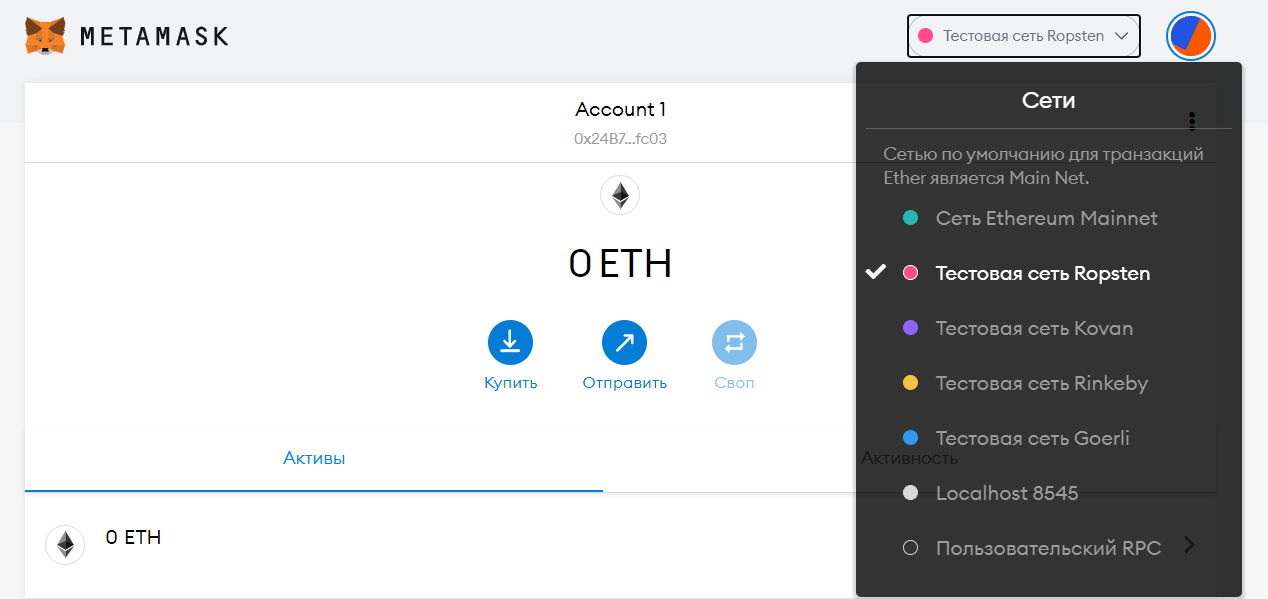
-. . README ( ). - -. - , . , . IDE Remix.
Truffle.js. node.js. npm ( ): npm install -g truffle
npm install -g @truffle/hdwallet-provider
, Truffle truffle init.
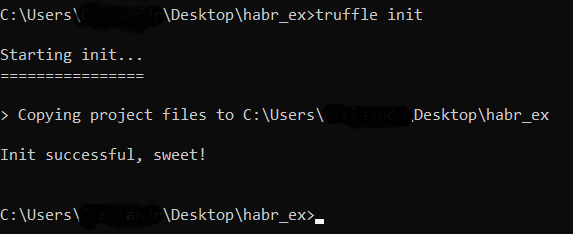
truffle-config.js. . Infura Ethereum -> Create New Project (UI) dApps - Ethereum. Infura , Ethereum , . -> Settings -> Endpoints Ropsten .
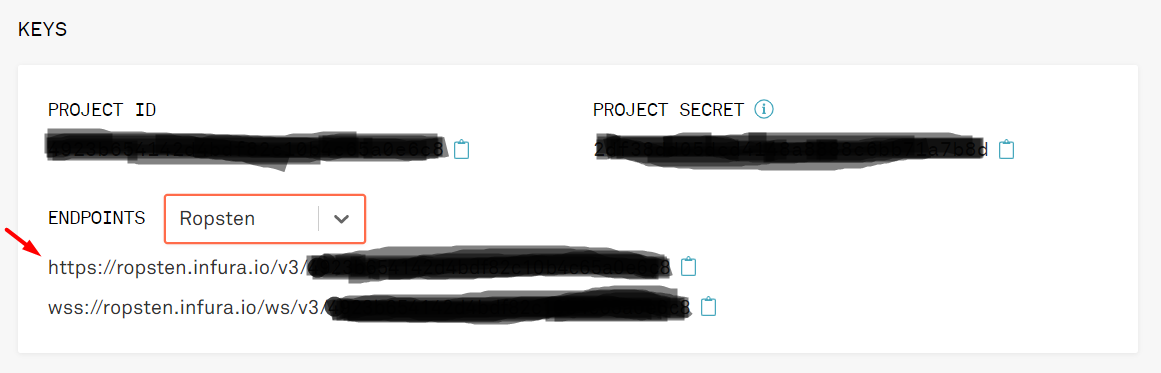
, , truffle-config.js. -, .secret . dotenv, , truffle. -, :
const HDWalletProvider = require('@truffle/hdwallet-provider');
const fs = require('fs');
const mnemonic = fs.readFileSync(".secret").toString().trim();
ropsten: {
provider: () => new HDWalletProvider(mnemonic, `https://ropsten.infura.io/v3/YOUR-PROJECT-ID`),
network_id: 3, // Ropsten's id
gas: 5500000, // Ropsten has a lower block limit than mainnet
confirmations: 2, // # of confs to wait between deployments. (default: 0)
timeoutBlocks: 200, // # of blocks before a deployment times out (minimum/default: 50)
skipDryRun: true // Skip dry run before migrations? (default: false for public nets )
},
HDWalletProvider
.
-, .sol contracts, . migrations js :
const SimpleMarketplace = artifacts.require("SimpleMarketplace");
module.exports = function (deployer) {
deployer.deploy(SimpleMarketplace, 'description', 1000);
};
, migrations 1_initial_migrations.js, 2.
- deploy : description price . , , SimpleMarketplace.
truffle compile
. : , @truffle/hdwallet-provider,(Error: Cannot find module '@truffle/hdwallet-provider')
, npm install @truffle/hdwallet-provider
. -g
. Compiled successfully using...
.
truffle migrate --network ropsten --reset
. ropsten
- , truffle-config.js, --reset , ( ).: : var e = new Error('ETIMEDOUT')
, truffle-config.js HDWalletProvider
, Infura - wss://ropsten.infura.io/ws/v3/YOUR-PROJECT-ID.
Etherscan , - , blockchain .
Vue.js
. assets ( Vue.js, ), HelloWorld.vue components App.vue ( HelloWorld.vue, components <div id="app">
).
<template>
<div id="app">
</div>
</template>
<script>
export default {
name: 'App',
components: {
}
}
</script>
<style>
#app {
font-family: Avenir, Helvetica, Arial, sans-serif;
-webkit-font-smoothing: antialiased;
-moz-osx-font-smoothing: grayscale;
text-align: center;
color: #2c3e50;
margin-top: 60px;
}
</style>
npm run serve
, , , .
- UI -. components , , Marketplace.vue. core core.js , , ./build/contracts JSON - ( ). - - , . , . . - npm install ethers
.
core.js , JSON - :
const { ethers } = require('ethers')
const ContractArtifact = require('./SimpleMarketplace.json')
const CONTRACT_ADDRESS = ContractArtifact.networks['3'].address
ABI, , ( . public , public view returns ethers ):
const ABI = [
'function InstanceOwner () public view returns(address)',
'function Description () public view returns(string)',
'function AskingPrice () public view returns(int)',
'function InstanceBuyer () public view returns(address)',
'function OfferPrice () public view returns(int)',
'function MakeOffer(int offerPrice) public',
'function Reject() public',
'function AcceptOffer() public'
]
:
let provider = new ethers.providers.Web3Provider(window.ethereum)
// Blockcain
let readOnlyContract = new ethers.Contract(CONTRACT_ADDRESS, ABI, provider)
// view
let signer = provider.getSigner()
//
let contract = new ethers.Contract(CONTRACT_ADDRESS, ABI, signer)
let contractSigner = contract.connect(signer)
//
Vue :
export default {
async getDescription() {
const description = await readOnlyContract.Description()
return {description: description}
}
}
, . - :
const { ethers } = require('ethers')
const ContractArtifact = require('./SimpleMarketplace.json')
const CONTRACT_ADDRESS = ContractArtifact.networks['3'].address
const ABI = [
'function InstanceOwner () public view returns(address)',
'function Description () public view returns(string)',
'function AskingPrice () public view returns(int)',
'function InstanceBuyer () public view returns(address)',
'function OfferPrice () public view returns(int)',
'function MakeOffer(int offerPrice) public',
'function Reject() public',
'function AcceptOffer() public'
]
let provider = new ethers.providers.Web3Provider(window.ethereum)
let readOnlyContract = new ethers.Contract(CONTRACT_ADDRESS, ABI, provider)
let signer = provider.getSigner()
let contract = new ethers.Contract(CONTRACT_ADDRESS, ABI, signer)
let contractSigner = contract.connect(signer)
export default {
async getInstanceOwner() {
const instanceOwner = await readOnlyContract.InstanceOwner()
return {instanceOwner: instanceOwner}
},
async getDescription() {
const description = await readOnlyContract.Description()
return {description: description}
},
async getAskingPrice() {
const askingPrice = await readOnlyContract.AskingPrice()
return {askingPrice: askingPrice}
},
async getInstanceBuyer() {
const instanceBuyer = await readOnlyContract.InstanceBuyer()
return {instanceBuyer: instanceBuyer}
},
async getOfferPrice() {
const offerPrice = await readOnlyContract.OfferPrice()
return {offerPrice: offerPrice}
},
async makeOffer(offerPrice) {
const txResponse = await contractSigner.MakeOffer(offerPrice, {gasLimit: 300000})
const txReceipt = await txResponse.wait()
return {transaction: txReceipt.transactionHash}
},
async reject() {
const txResponse = await contractSigner.Reject({gasLimit: 300000})
const txReceipt = await txResponse.wait()
return {transaction: txReceipt.transactionHash}
},
async acceptOffer() {
const txResponse = await contractSigner.AcceptOffer({gasLimit: 300000})
const txReceipt = await txResponse.wait()
return {transaction: txReceipt.transactionHash}
}
}
App.vue mounted $root core.js:
const core = require('./core/core')
/*
-
*/
mounted() {
window.ethereum.request({ method: 'eth_requestAccounts' })
this.$root.core = core.default
}
, data details methods :
data() {
return {
instanceOwner: '',
description: '',
askingPrice: '',
instanceBuyer: '',
offerPrice: ''
}
},
methods: {
async details() {
this.instanceOwner = (await this.$root.core.getInstanceOwner()).instanceOwner
this.description = (await this.$root.core.getDescription()).description
this.askingPrice = (await this.$root.core.getAskingPrice()).askingPrice
this.instanceBuyer = (await this.$root.core.getInstanceBuyer()).instanceBuyer
this.offerPrice = (await this.$root.core.getOfferPrice()).offerPrice
}
},
:
<button v-on:click="details">Get details</button>
<h3>Instance owner: {{ instanceOwner }}</h3>
<h3>Description: {{ description }}</h3>
<h3>Asking price: {{ askingPrice }}</h3>
<h3>Instance buyer: {{ instanceBuyer }}</h3>
<h3>Offer price: {{ offerPrice }}</h3>
Você pode verificar o código do componente Marketplace.vue em meu repositório para não entulhar o artigo com código desnecessário.
Depois de iniciar o projeto, você deve ver uma janela de conexão de carteira como esta:
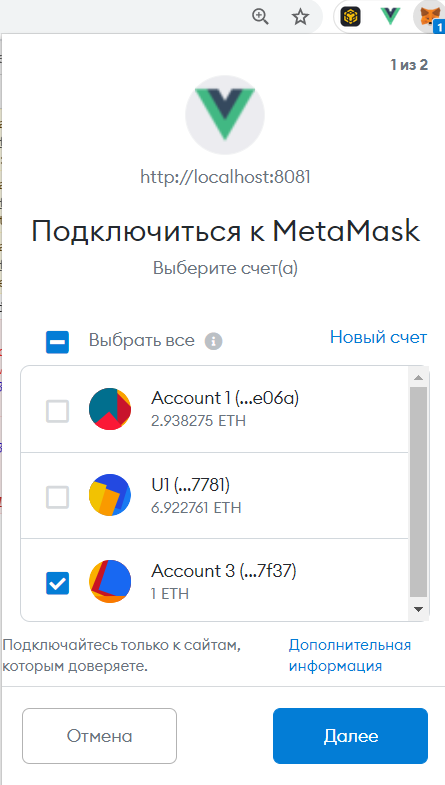
E depois disso, ao clicarmos no botão Obter detalhes , receberemos os dados que inserimos na implantação do contrato.
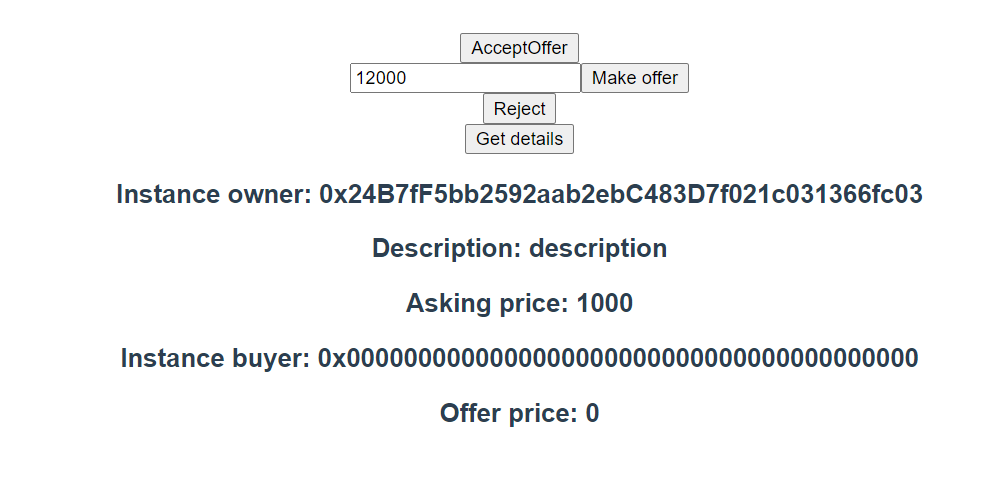
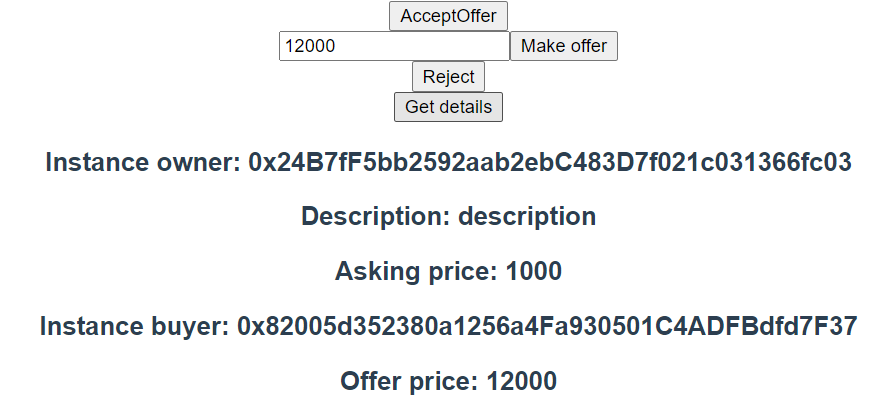
E é assim que a saída fica se você fizer uma transação:
Conclusão
Este é meu primeiro artigo. Eu ficaria feliz em ter algumas perguntas e até críticas, já que eu mesmo não sou profissional em tudo isso ainda.
Link para o contrato onde você pode verificar as transações.