Quais características uma aplicação web deve ter para atender ao critério "progressivo"? É claro que, como os aplicativos da web comuns, os progressivos são construídos com base nas "três grandes" tecnologias da web - HTML / CSS / JS. Mas o que exatamente torna os aplicativos da web progressivos?
Nesta publicação tentarei encontrar o conjunto mínimo de características que uma aplicação web deve atender no momento para ser chamada de "progressiva", e também responder à pergunta por que em agosto deste ano algumas aplicações "progressivas" deixarão de ser assim.
Princípios de seleção de características
Pegarei um arquivo HTML em branco e adicionarei gradualmente artefatos a ele para transformá-lo em um PWA até que meu smartphone decida instalar este aplicativo e o Chrome pare de lançar avisos. O Chrome foi escolhido porque o Google é atualmente o principal driver da tecnologia PWA.
HTTPS
A primeira coisa a ser configurada no servidor é a criptografia de tráfego. Tudo é feito aqui da mesma maneira que para os aplicativos convencionais da web. Pessoalmente, eu uso Apache httpd e gero certificados de criptografia por meio do Let's Encrypt .
App Shell
Um shell de aplicativo é o conjunto mínimo de arquivos que permite que um aplicativo seja executado offline. Vou tentar encaixar todo o código necessário (HTML / CSS / JS) ao máximo em um arquivo - index.html
.
<!DOCTYPE html>
<html lang="en">
<head>
<title>PWA</title>
<style>
BODY {
background-color: #FB9902;
color: #342309;
font-size: xx-large;
margin: 0;
}
DIV {
align-content: center;
display: grid;
height: 100vh;
justify-content: center;
}
</style>
</head>
<body>
<div>App Shell</div>
</body>
</html>
Manifesto
O manifesto é um marcador direto de que a página faz parte de um aplicativo da web progressivo. O manifesto está incluído no cabeçalho da página HTML:
<link rel="manifest" href="demo.pwa.json">
Chrome:

, Chrome :
{
"start_url": "./",
"name": "PWA",
"display": "standalone",
"icons": [
{
"src": "./icon.png",
"sizes": "144x144",
"type": "image/png"
}
]
}
Icon
Chrome', 144x144 PNG, SVG WebP. :
Service Worker
Chrome - service worker'.
Service worker (index.html
):
<script>
if ("serviceWorker" in navigator) {
self.addEventListener("load", async () => {
const container = navigator.serviceWorker;
if (container.controller === null) {
const reg = await container.register("sw.js");
}
});
}
</script>
sw.js
:
'use strict';
Chrome: Page does not work offline
'use strict';
function hndlEventFetch(evt) {}
self.addEventListener('fetch', hndlEventFetch);
:
Site cannot be installed: Page does not work offline. Starting in Chrome 93, the installability criteria is changing, and this site will not be installable. See https://goo.gle/improved-pwa-offline-detection for more information.
Chrome: Version 89.0.4389.72 (Official Build) (64-bit)
, :
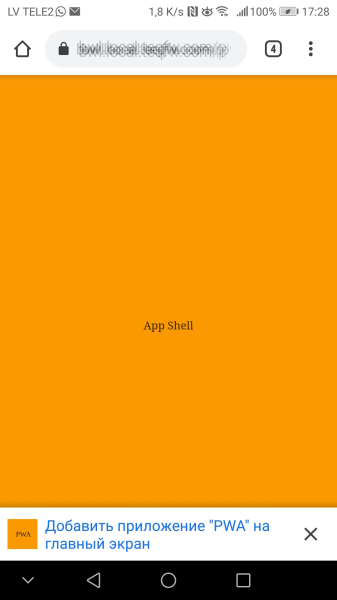
, service worker , ( 2021-) .
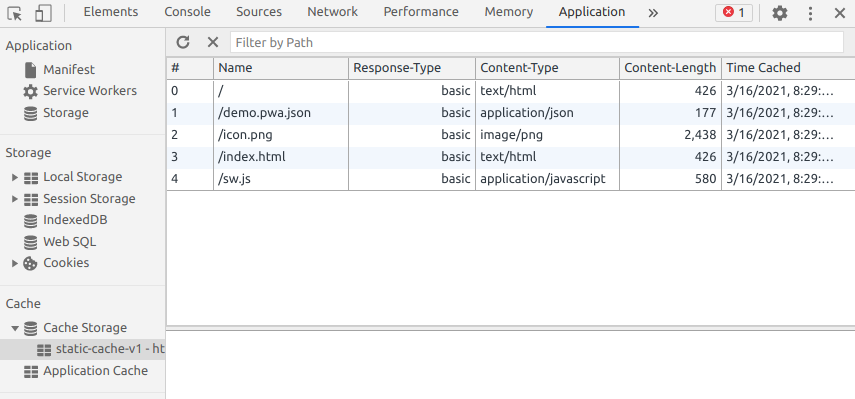
PWA 2021-, , . service worker':
'use strict';
const CACHE_STATIC = 'static-cache-v1';
function hndlEventInstall(evt) {
/**
* @returns {Promise<void>}
*/
async function cacheStaticFiles() {
const files = [
'./',
'./demo.pwa.json',
'./icon.png',
'./index.html',
'./sw.js',
];
const cacheStat = await caches.open(CACHE_STATIC);
await Promise.all(
files.map(function (url) {
return cacheStat.add(url).catch(function (reason) {
console.log(`'${url}' failed: ${String(reason)}`);
});
})
);
}
// wait until all static files will be cached
evt.waitUntil(cacheStaticFiles());
}
function hndlEventFetch(evt) {
async function getFromCache() {
const cache = await self.caches.open(CACHE_STATIC);
const cachedResponse = await cache.match(evt.request);
if (cachedResponse) {
return cachedResponse;
}
// wait until resource will be fetched from server and stored in cache
const resp = await fetch(evt.request);
await cache.put(evt.request, resp.clone());
return resp;
}
evt.respondWith(getFromCache());
}
self.addEventListener('install', hndlEventInstall);
self.addEventListener('fetch', hndlEventFetch);
service worker' Chrome 93+. :
, - favicon.ico
:
GET https://bwl.local.teqfw.com/favicon.ico 404
, PWA.
web- ( 2021-) :
(HTTPS).
( ).
( service worker).
.
Service worker.
.
PWA :
Chrome , 93 web- . PWA , Vue Storefront. Magento 2 , ( , Magento 2 web-).
, Vue Storefront, , , . , e- . , PWA , PWA . -, - - web, - -. web-, serverless ( App Shell, service worker', - ). , web- -, - .
Vue Storefront , . Vue Storefront , Chrome 93+ (, ). , PWA- Magento .
Google PWA, web' . , web- , 100% -. , PWA - :
In December 2020, Firefox for desktop abandoned implementation of PWAs (specifically, removed the prototype "site-specific browser" configuration that had been available as an experimental feature). A Firefox architect noted: "The signal I hope we are sending is that PWA support is not coming to desktop Firefox anytime soon." Mozilla still plans to support PWAs on Android.

- PWA- . "" .
Na minha opinião, o PWA é uma solução de "nicho" para dispositivos móveis. Sim, é feito utilizando tecnologias web (HTML / CSS / JS) e roda dentro do navegador, mas o desenvolvimento PWA deve ser abordado do ponto de vista de aplicações móveis nativas e não do ponto de vista de aplicações web (sites ou SPA )
Em outras palavras, se você só precisa de um aplicativo da web, não precisa de um PWA. Mas se você precisar desenvolver um aplicativo móvel, o PWA pode ser uma opção aceitável.