O Kubernetes está evoluindo rapidamente de uma plataforma de orquestração Docker para um sistema operacional de nuvem de uso geral. Graças aos operadores , o Kubernetes é capaz de gerenciar inicialmente os conceitos de alto nível e os processos de negócios, o que significa que você não gerencia mais os blocos de módulos de construção, serviços e implantações, mas sim descreve o que esses blocos de construção podem criar, por exemplo , servidores da web, dados de bancos de dados, implantação contínua, gerenciamento de certificados e muito mais.
Quando implantado em um cluster Kubernetes, Tekton Pipelines oferece a capacidade de definir e executar tarefas de construção, entradas e saídas na forma de valores simples ou objetos complexos, como imagens Docker, e combinar esses recursos em pipelines. Esses novos recursos do Kubernetes e os controladores que os regem resultam em uma plataforma CI / CD autônoma hospedada em um cluster do Kubernetes.
Nesta postagem, daremos uma olhada em um pipeline de construção simples em execução no MicroK8S.
Preparar um cluster de teste do Kubernetes
Nesta postagem, estou usando o MicroK8S para criar um cluster Kubernetes. MicroK8S é útil aqui porque oferece uma seleção de complementos oficiais , um dos quais é o registro de imagem do Docker. Como nosso pipeline cria uma imagem Docker, precisamos hospedá-la em algum lugar, e o suplemento de registro MicroK8S nos fornece essa funcionalidade com um único comando:
microk8s.enable registry
Também precisamos habilitar a pesquisa de DNS do cluster MicroK8S. Isso é feito ativando o complemento DNS:
microk8s.enable dns
Instalando Tekton Pipelines
A instalação do Tekton Pipelines é feita com um comando kubectl
(ou microk8s.kubectl
em nosso caso):
microk8s.kubectl apply --filename https://storage.googleapis.com/tekton-releases/pipeline/latest/release.yaml
Agora podemos criar recursos Tekton em nosso cluster Kubernetes.
A tarefa "Hello World"
, . , echo
Hello World
, ubuntu
.
YAML helloworldtask.yml
:
apiVersion: tekton.dev/v1alpha1 kind: Task metadata: name: echo-hello-world spec: steps: - name: echo image: ubuntu command: - echo args: - "Hello World"
Kubernetes :
microk8s.kubectl apply -f helloworldtask.yml
, , - . , Tekton .
YAML helloworldtaskrun.yml
:
apiVersion: tekton.dev/v1alpha1 kind: TaskRun metadata: name: echo-hello-world-task-run spec: taskRef: name: echo-hello-world
Kubernetes :
microk8s.kubectl apply -f helloworldtaskrun.yml
Docker
hello world, Tekton, Docker. , RandomQuotes.
. .
, , — Git, . , git, URL- , :
apiVersion: tekton.dev/v1alpha1 kind: PipelineResource metadata: name: randomquotes-git spec: type: git params: - name: revision value: master - name: url value: https://github.com/OctopusSamples/RandomQuotes-Java.git
Docker, . MicroK8S, Docker http://registry.container-registry.svc.cluster.local:5000.
image
, Docker, registry.container-registry.svc.cluster.local:5000/randomquotes
:
apiVersion: tekton.dev/v1alpha1 kind: PipelineResource metadata: name: randomquotes-image spec: type: image params: - name: url value: registry.container-registry.svc.cluster.local:5000/randomquotes
Docker, Docker .
Docker Docker . Kubernetes Docker, : Docker Docker?
, , Docker CLI , - Docker. , umoci Docker, Kaniko Buildah Docker Docker Podman Docker.
Kaniko Tekton, Docker Docker, Kubernetes. YAML :
apiVersion: tekton.dev/v1alpha1 kind: Task metadata: name: build-docker-image-from-git-source spec: inputs: resources: - name: docker-source type: git params: - name: pathToDockerFile type: string description: The path to the dockerfile to build default: /workspace/docker-source/Dockerfile - name: pathToContext type: string description: The build context used by Kaniko (https://github.com/GoogleContainerTools/kaniko#kaniko-build-contexts) default: /workspace/docker-source outputs: resources: - name: builtImage type: image steps: - name: build-and-push image: gcr.io/kaniko-project/executor:v0.17.1 # specifying DOCKER_CONFIG is required to allow kaniko to detect docker credential env: - name: "DOCKER_CONFIG" value: "/tekton/home/.docker/" command: - /kaniko/executor args: - --dockerfile=$(inputs.params.pathToDockerFile) - --destination=$(outputs.resources.builtImage.url) - --context=$(inputs.params.pathToContext)
.
, , .
git
:
inputs: resources: - name: docker-source type: git
image
:
outputs: resources: - name: builtImage type: image
, , Docker:
spec: inputs: params: - name: pathToDockerFile type: string description: The path to the dockerfile to build default: /workspace/docker-source/Dockerfile - name: pathToContext type: string description: The build context used by Kaniko (https://github.com/GoogleContainerTools/kaniko#kaniko-build-contexts) default: /workspace/docker-source
, /workspace/docker-source
— , git
, docker-source
, .
, Docker. , gcr.io/kaniko-project/executor:v0.17.1
image, Kaniko:
spec: steps: - name: build-and-push image: gcr.io/kaniko-project/executor:v0.17.1 # specifying DOCKER_CONFIG is required to allow kaniko to detect docker credential env: - name: "DOCKER_CONFIG" value: "/tekton/home/.docker/" command: - /kaniko/executor args: - --dockerfile=$(inputs.params.pathToDockerFile) - --destination=$(outputs.resources.builtImage.url) - --context=$(inputs.params.pathToContext)
, . docker-source
randomquotes-git
, builtImage — randomquotes-image
.
:
apiVersion: tekton.dev/v1alpha1 kind: TaskRun metadata: name: build-docker-image-from-git-source-task-run spec: taskRef: name: build-docker-image-from-git-source inputs: resources: - name: docker-source resourceRef: name: randomquotes-git params: - name: pathToDockerFile value: Dockerfile - name: pathToContext value: /workspace/docker-source outputs: resources: - name: builtImage resourceRef: name: randomquotes-image
Tekton CLI , kubectl
, MicroK8S microk8s.kubectl
. kubectl
— , MicroK8S kubectl
:
sudo microk8s.kubectl config view --raw > $HOME/.kube/config
:
tkn taskrun logs build-docker-image-from-git-source-task-run

Tekton?
Docker, Tekton . Docker, .
Kubernetes . , , ?
, Tekton , . tkn
CLI , kubectl
, . kubectl create -f taskrun.yml
, .
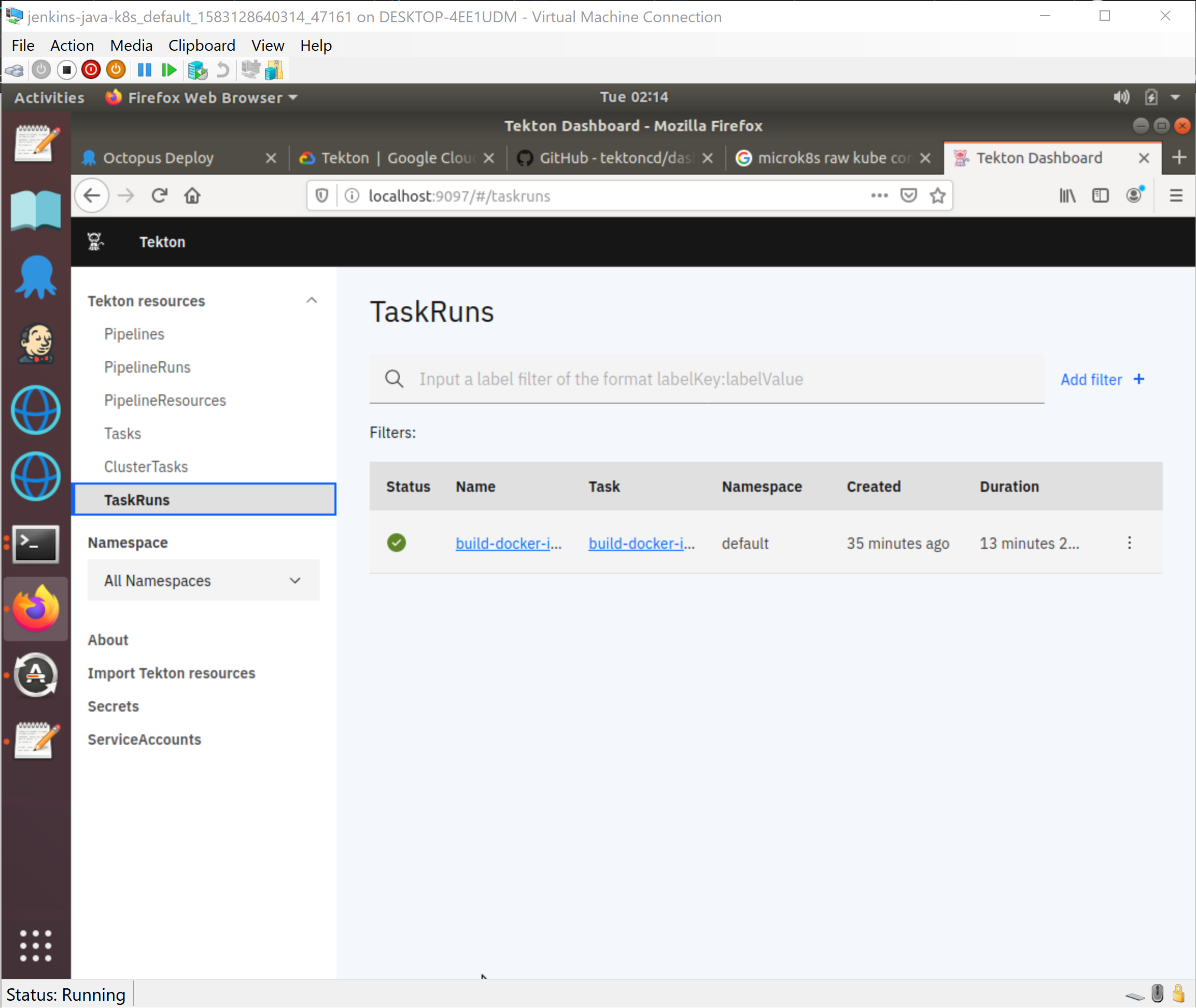
, Tekton — . Jenkins X OpenShift Pipelines — , Tekton.
Kubernetes , , , , , . , Kubernetes CI , , Kubernetes.
, Jenkins X OpenShift Pipelines, Tekton . Tekton , , , , .