Neste artigo, prepararemos o ambiente para executar contêineres no Windows 10 e criaremos um aplicativo .NET simples em contêiner.
Para concluir todas as etapas abaixo, você precisa de um sistema de 64 bits com a versão 2004 ou posterior e compilação 18362 ou posterior. Verifique a versão e o número da compilação executando o comando no PowerShell winver
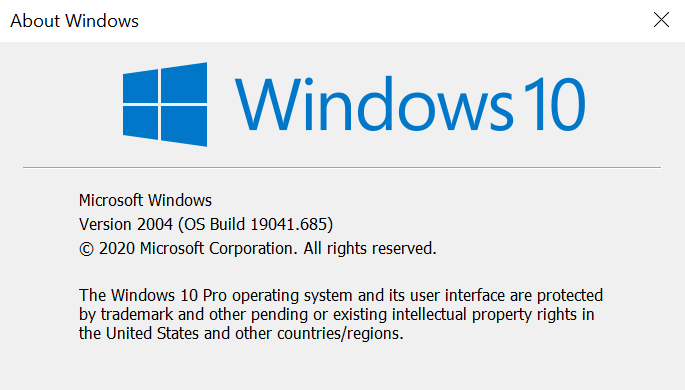
Se a versão for inferior à necessária, então você precisa atualizar e só então ir mais longe
Instalando WSL 2
Primeiro, vamos habilitar o componente Windows Subsystem for Linux (WSL). Para fazer isso, inicie o PowerShell com direitos de administrador e execute o primeiro comando
dism.exe /online /enable-feature /featurename:VirtualMachinePlatform /all /norestart

dism.exe /online /enable-feature /featurename:VirtualMachinePlatform /all /norestart

, shutdown -r -t 1
WSL 2 Linux wsl --set-default-version 2

, Linux Microsoft Store, , Ubuntu 20.04 LTS
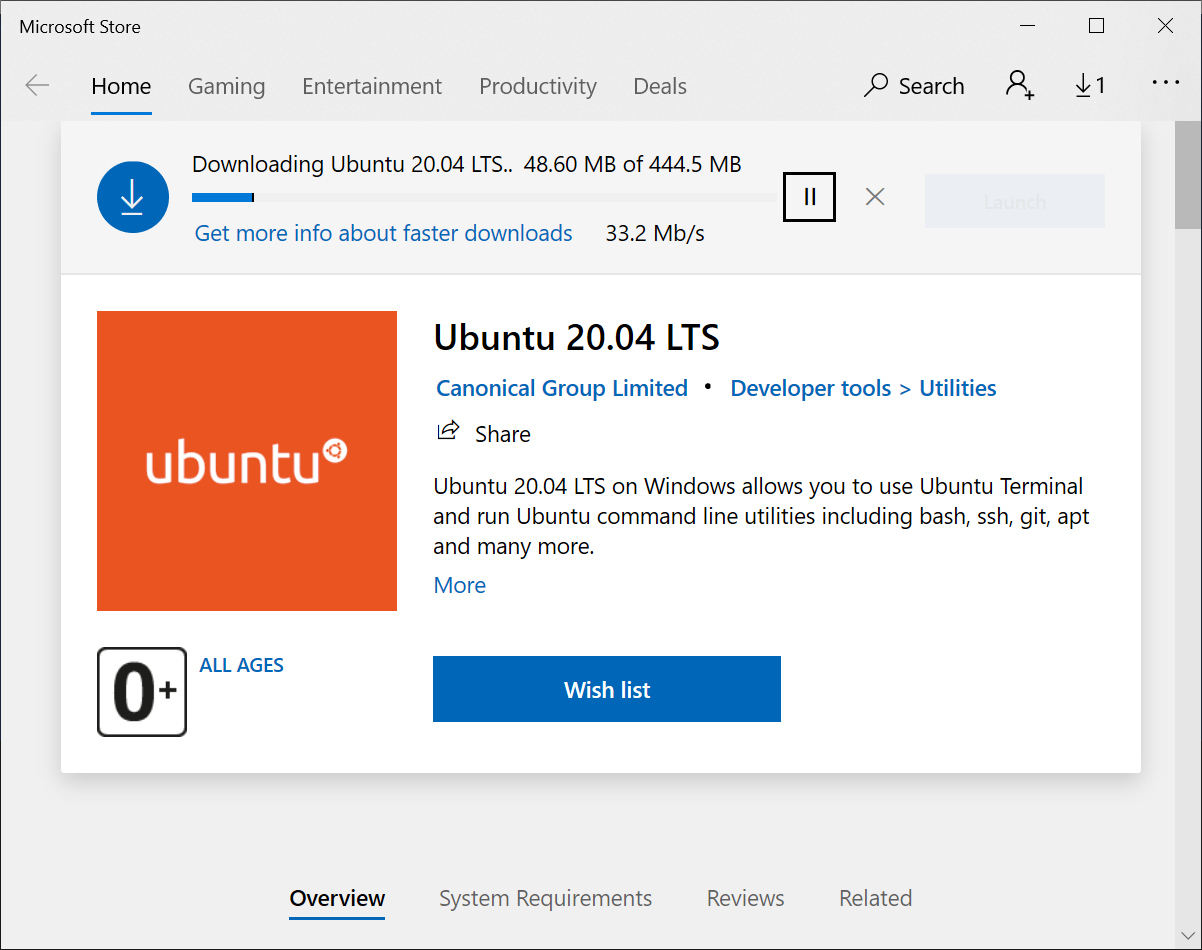
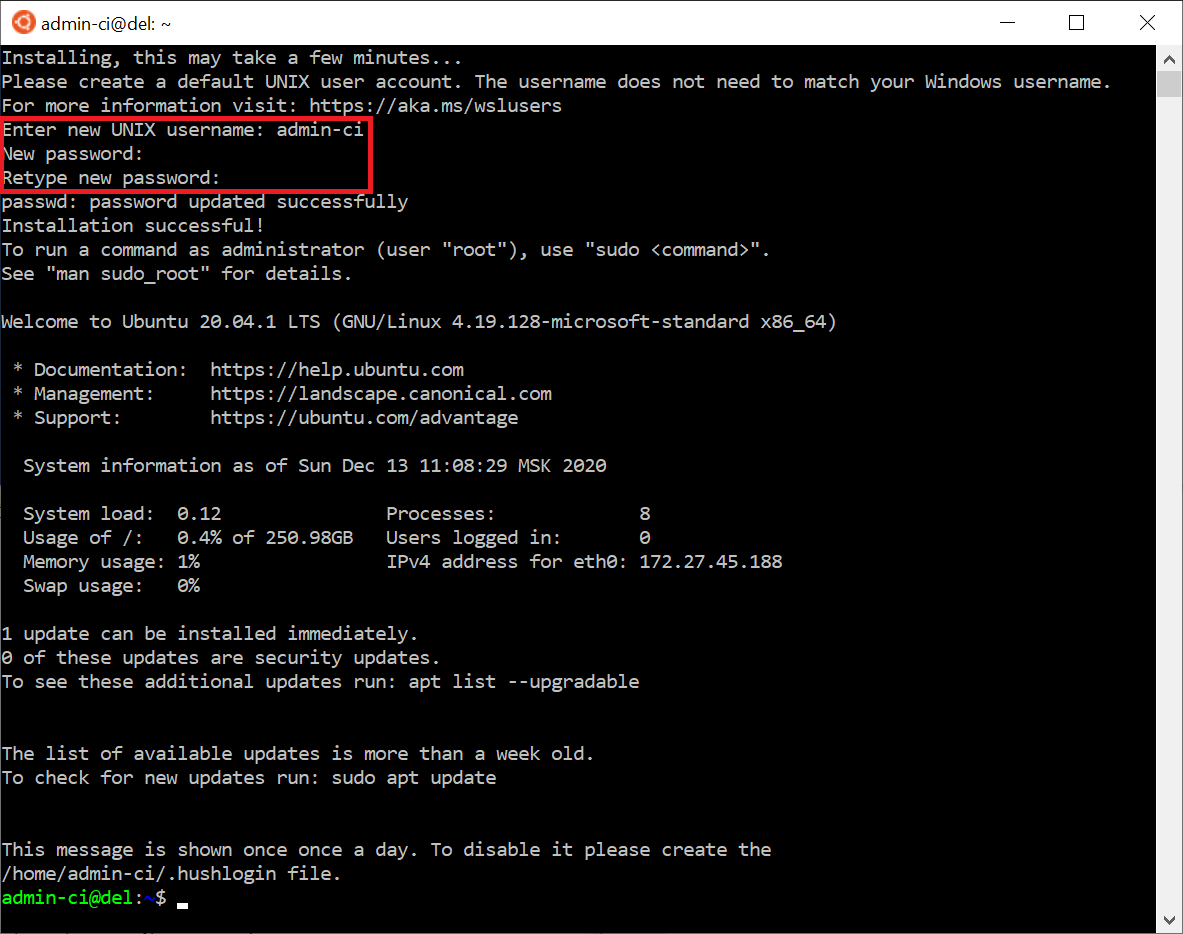
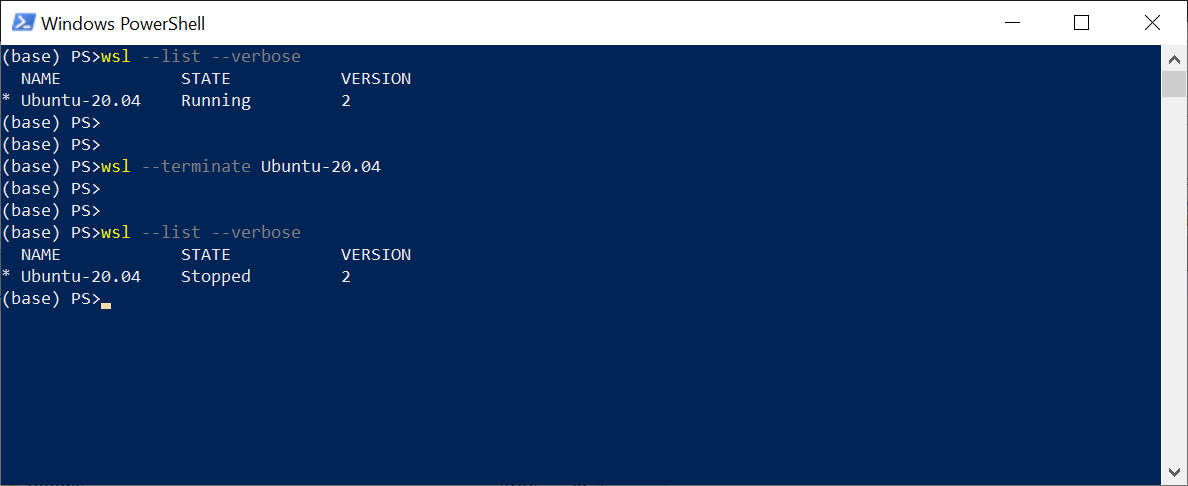
Linux, PowerShell wsl --list --verbose

Linux, wsl --terminate Ubuntu-20.04
Linux \\wsl$
Docker
Docker Desktop Windows ,
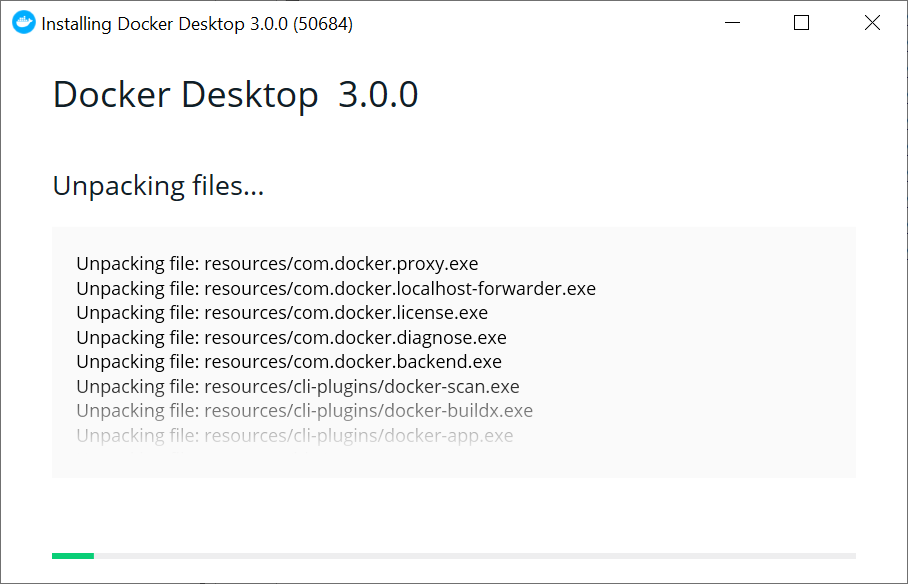
Docker Desktop Docker Linux (WSL 2)

Docker PowerShell, Bash. docker version
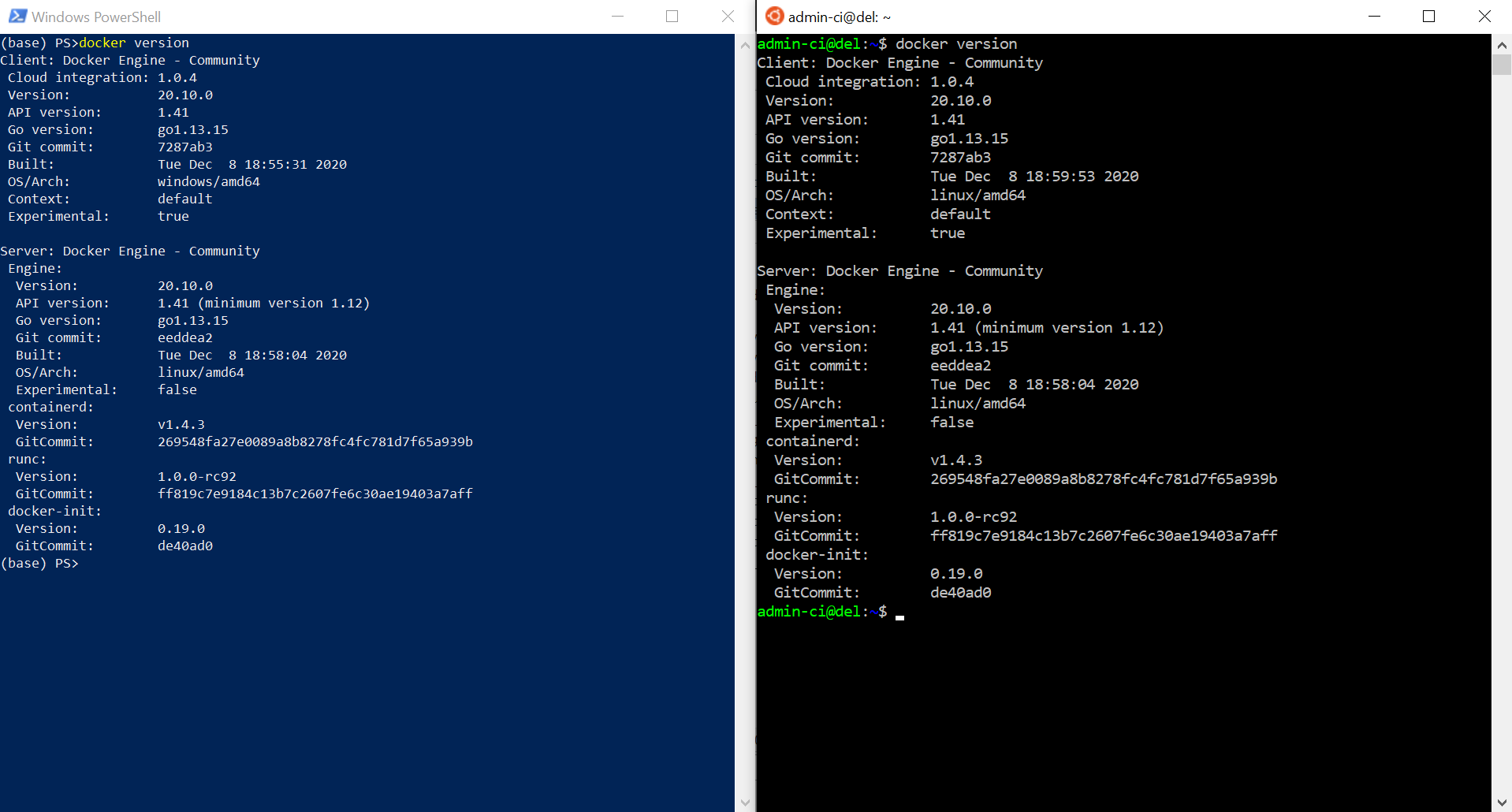
, Docker , busybox,
docker run busybox echo "hello docker!!!"

. - . , rabbitmq
docker run --name rabbit1 -p 8080:15672 -p 5672:5672 rabbitmq:3.8.9-management
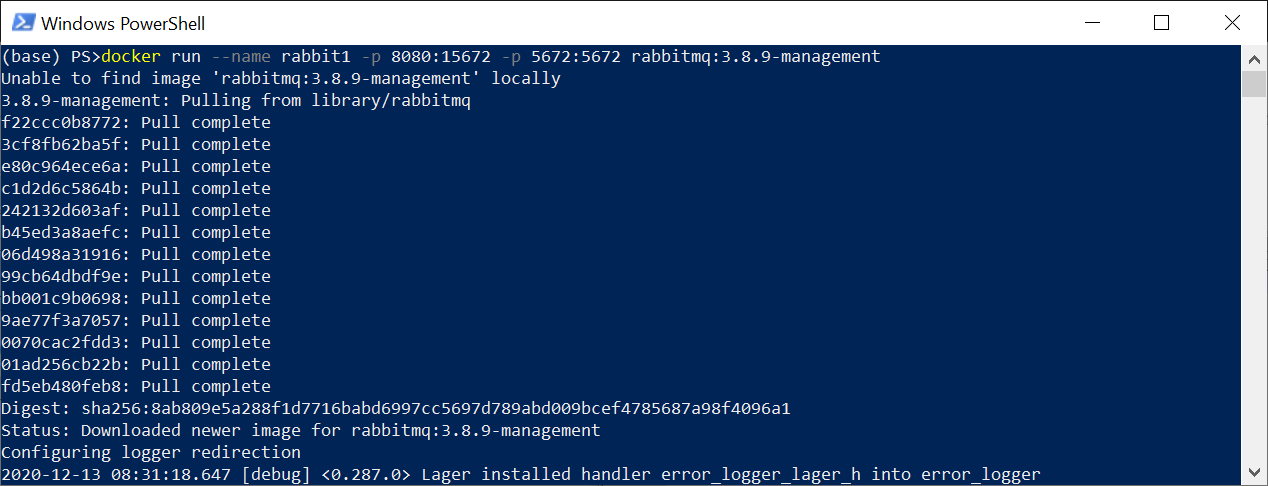
:
docker run
- . , Docker Hub
--name rabbit1
- rabbit1
-p 8080:15672
- . 8080 - , 15672 -
rabbitmq:3.8.9-management
- /,
RabbitMQ 5672 8080
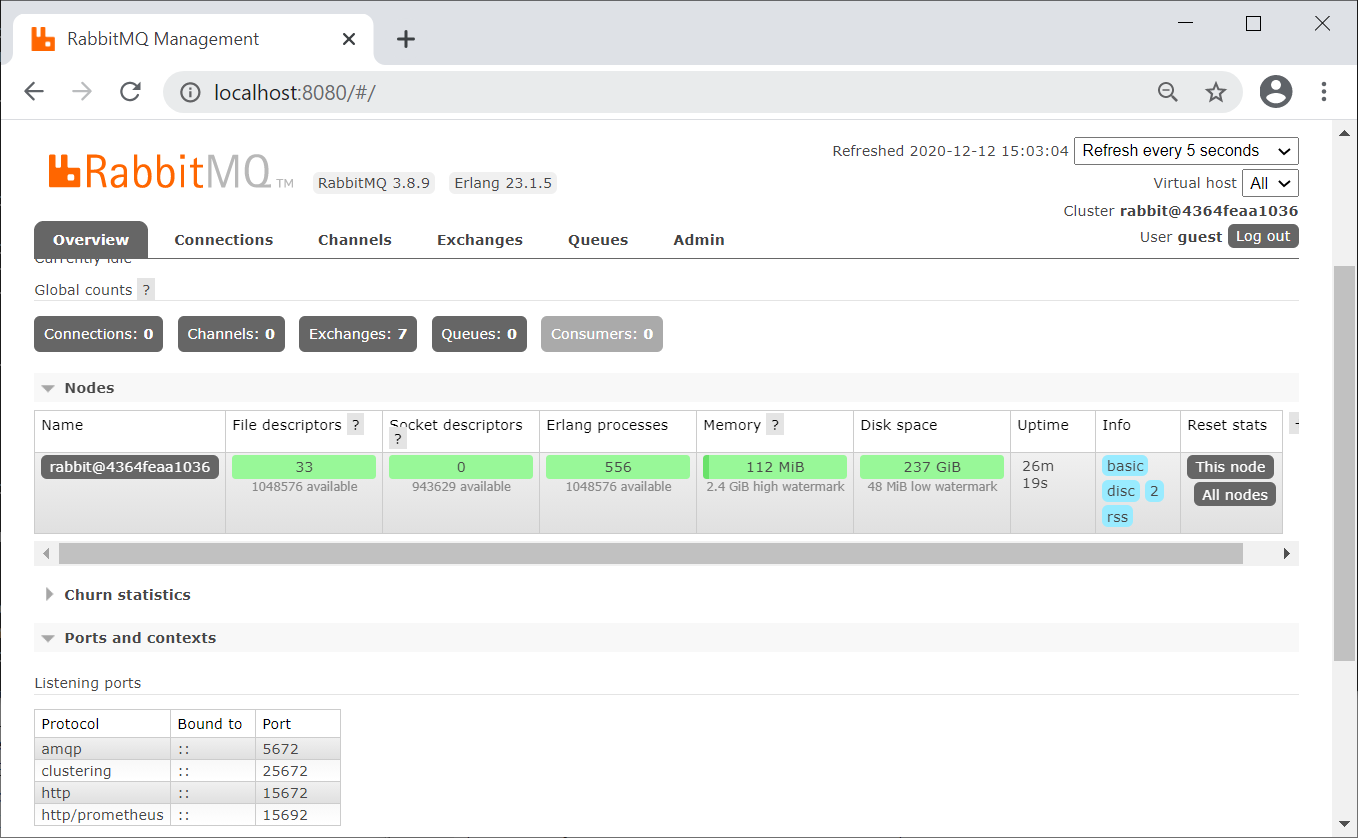
, , docker container ls --all
docker ps -a

: docker stop rabbit1
. : docker start rabbit1
.NET
, .. , . bridge, .. , mynet bridge
docker network create mynet
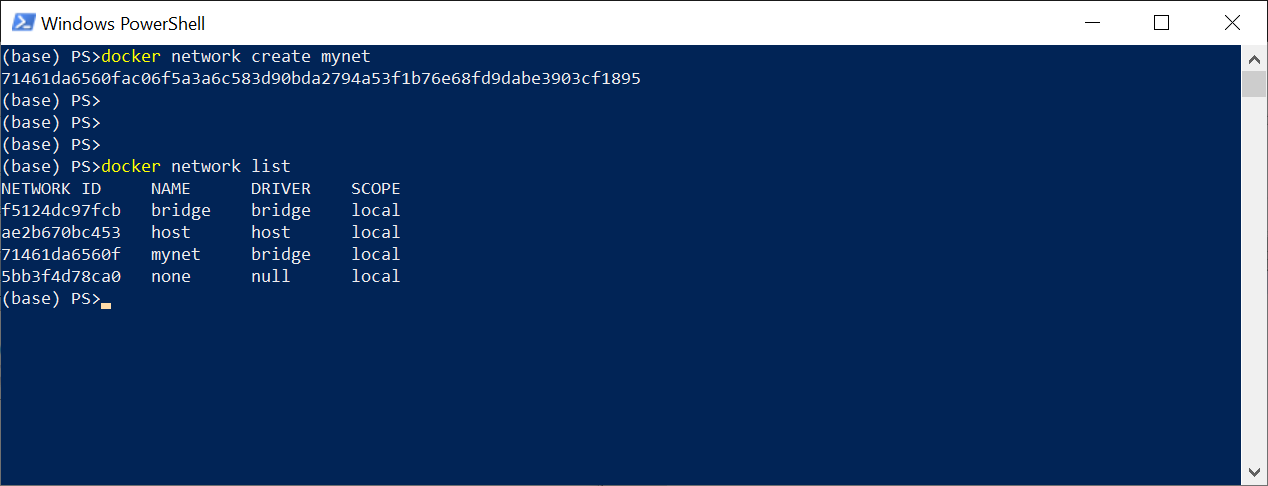
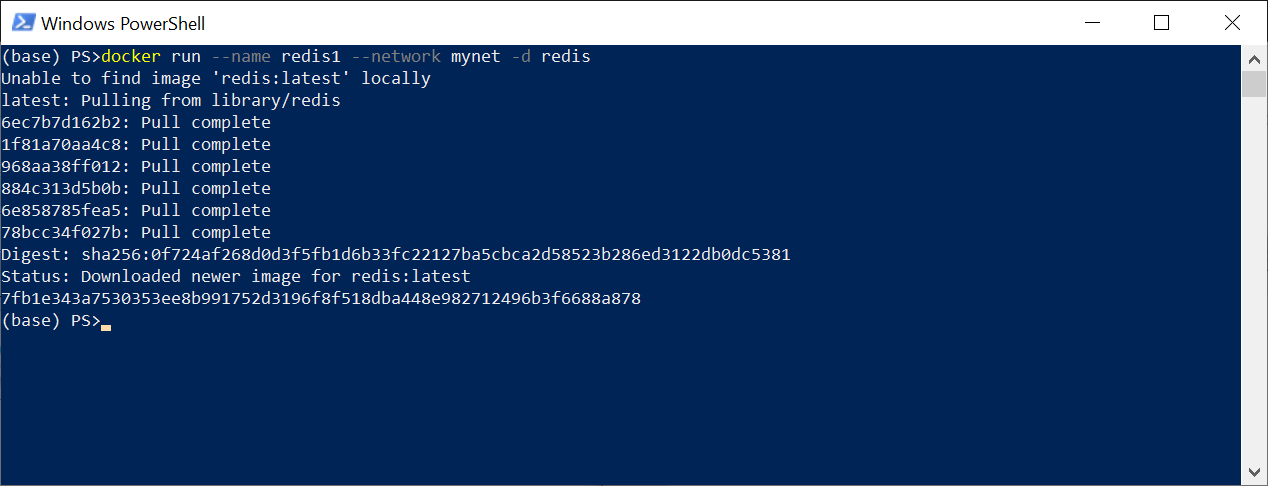
redis . -d
docker run --name redis1 --network mynet -d redis
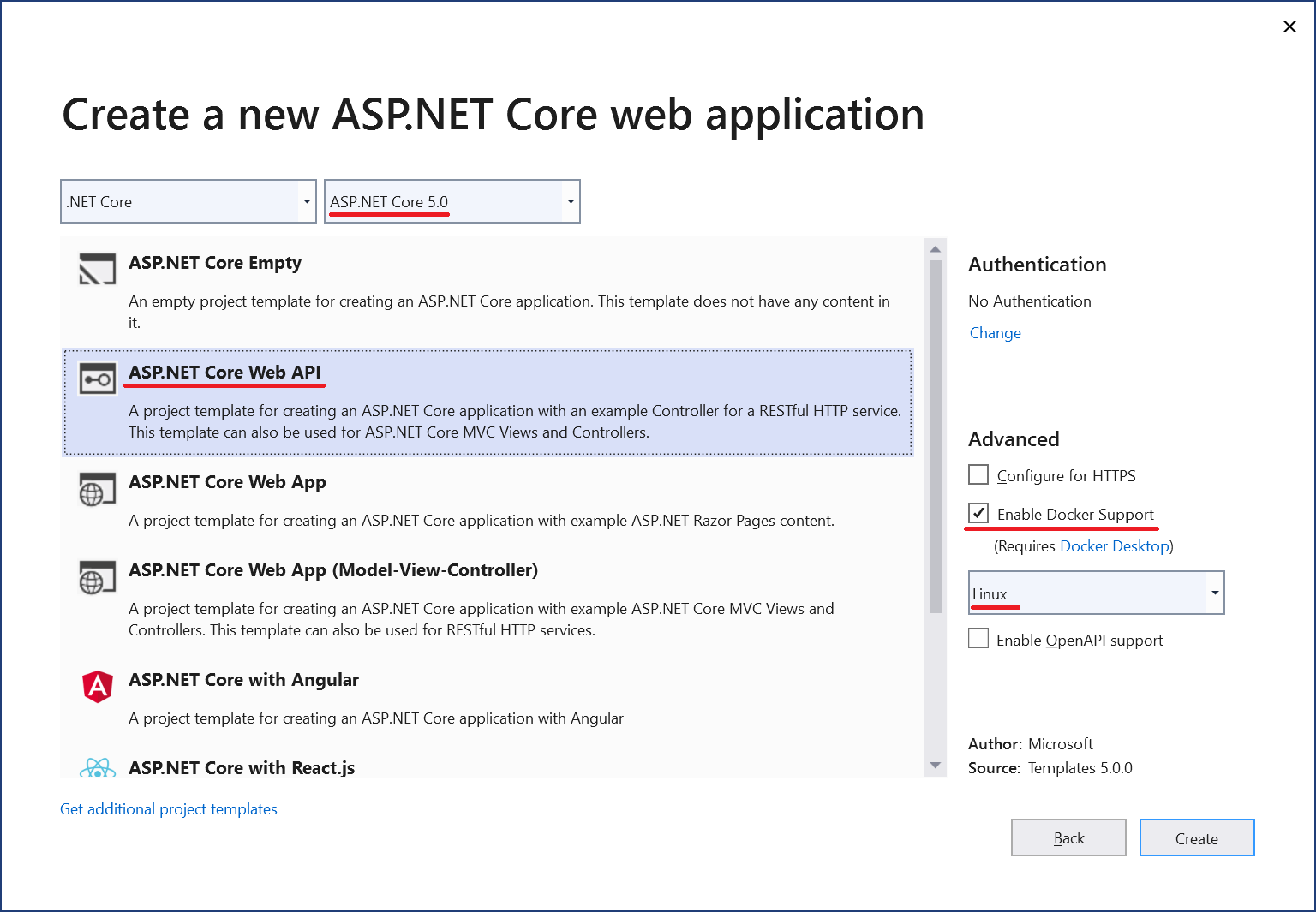
Visual Studio 2019 ASP.NET Core Web API,
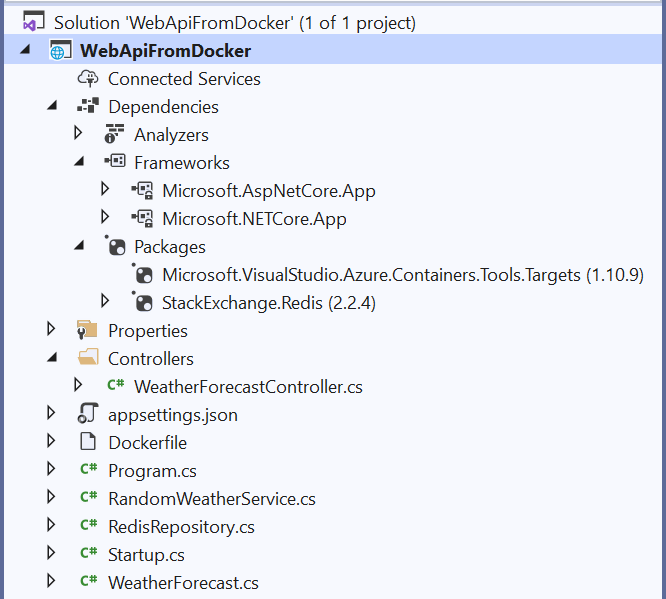
Redis StackExchange.Redis Package Manager Console
Install-Package StackExchange.Redis -Version 2.2.4
,
RandomWeatherService.cs,
using System;
namespace WebApiFromDocker
{
public class RandomWeatherService
{
private Random _randomGenerator;
public RandomWeatherService()
{
_randomGenerator = new Random();
}
public int GetForecast(string city)
{
var length = city.Length;
var temperatureC = _randomGenerator.Next(-length, length);
return temperatureC;
}
}
}
RedisRepository.cs,
using StackExchange.Redis;
using System;
using System.Threading.Tasks;
namespace WebApiFromDocker
{
public class RedisRepository
{
private string _connectionString = "redis1:6379";
private TimeSpan _expiry = TimeSpan.FromHours(1);
public async Task SetValue(string key, string value)
{
using var connection = await ConnectionMultiplexer
.ConnectAsync(_connectionString);
var db = connection.GetDatabase();
await db.StringSetAsync(key.ToUpper(), value, _expiry);
}
public async Task<string> GetValue(string key)
{
using var connection = await ConnectionMultiplexer
.ConnectAsync(_connectionString);
var db = connection.GetDatabase();
var redisValue = await db.StringGetAsync(key.ToUpper());
return redisValue;
}
}
}
Startup
public void ConfigureServices(IServiceCollection services)
{
services.AddScoped<RandomWeatherService>();
services.AddScoped<RedisRepository>();
services.AddControllers();
}
, WeatherForecastController
using Microsoft.AspNetCore.Mvc;
using System;
using System.Threading.Tasks;
namespace WebApiFromDocker.Controllers
{
[ApiController]
[Route("api/[controller]")]
public class WeatherForecastController : ControllerBase
{
private RandomWeatherService _weather;
private RedisRepository _cache;
public WeatherForecastController(
RandomWeatherService weather,
RedisRepository cache)
{
_weather = weather;
_cache = cache;
}
//GET /api/weatherforecast/moscow
[HttpGet("{city}")]
public async Task<WeatherForecast> GetAsync(string city)
{
int temperatureC;
var cachedTemperatureCString = await _cache.GetValue(city);
if (!string.IsNullOrEmpty(cachedTemperatureCString))
{
temperatureC = Convert.ToInt32(cachedTemperatureCString);
}
else
{
temperatureC = _weather.GetForecast(city);
await _cache.SetValue(city, temperatureC.ToString());
}
var forecast = new WeatherForecast(
city, DateTime.UtcNow, temperatureC);
return forecast;
}
}
}
Dockerfile Docker.
FROM mcr.microsoft.com/dotnet/aspnet:5.0-buster-slim AS base
WORKDIR /app
EXPOSE 80
FROM mcr.microsoft.com/dotnet/sdk:5.0-buster-slim AS build
WORKDIR /src
COPY ["WebApiFromDocker/WebApiFromDocker.csproj", "WebApiFromDocker/"]
RUN dotnet restore "WebApiFromDocker/WebApiFromDocker.csproj"
COPY . .
WORKDIR "/src/WebApiFromDocker"
RUN dotnet build "WebApiFromDocker.csproj" -c Release -o /app/build
FROM build AS publish
RUN dotnet publish "WebApiFromDocker.csproj" -c Release -o /app/publish
FROM base AS final
WORKDIR /app
COPY --from=publish /app/publish .
ENTRYPOINT ["dotnet", "WebApiFromDocker.dll"]
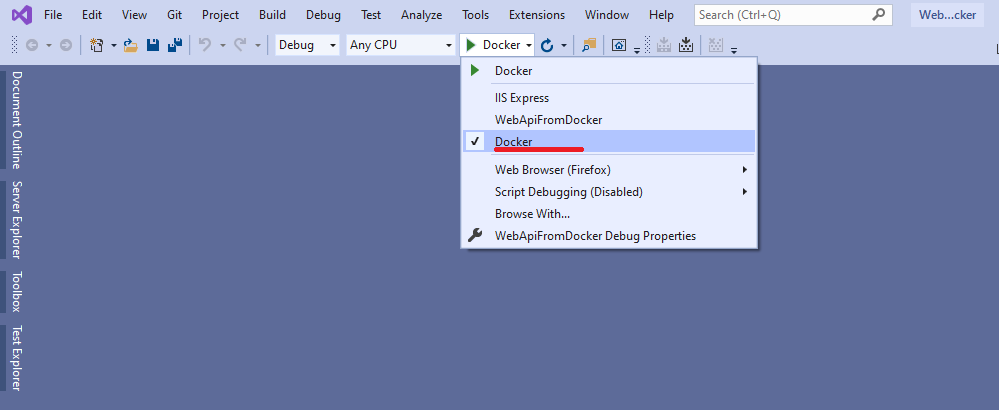
, mynet
docker network connect mynet WebApiFromDocker

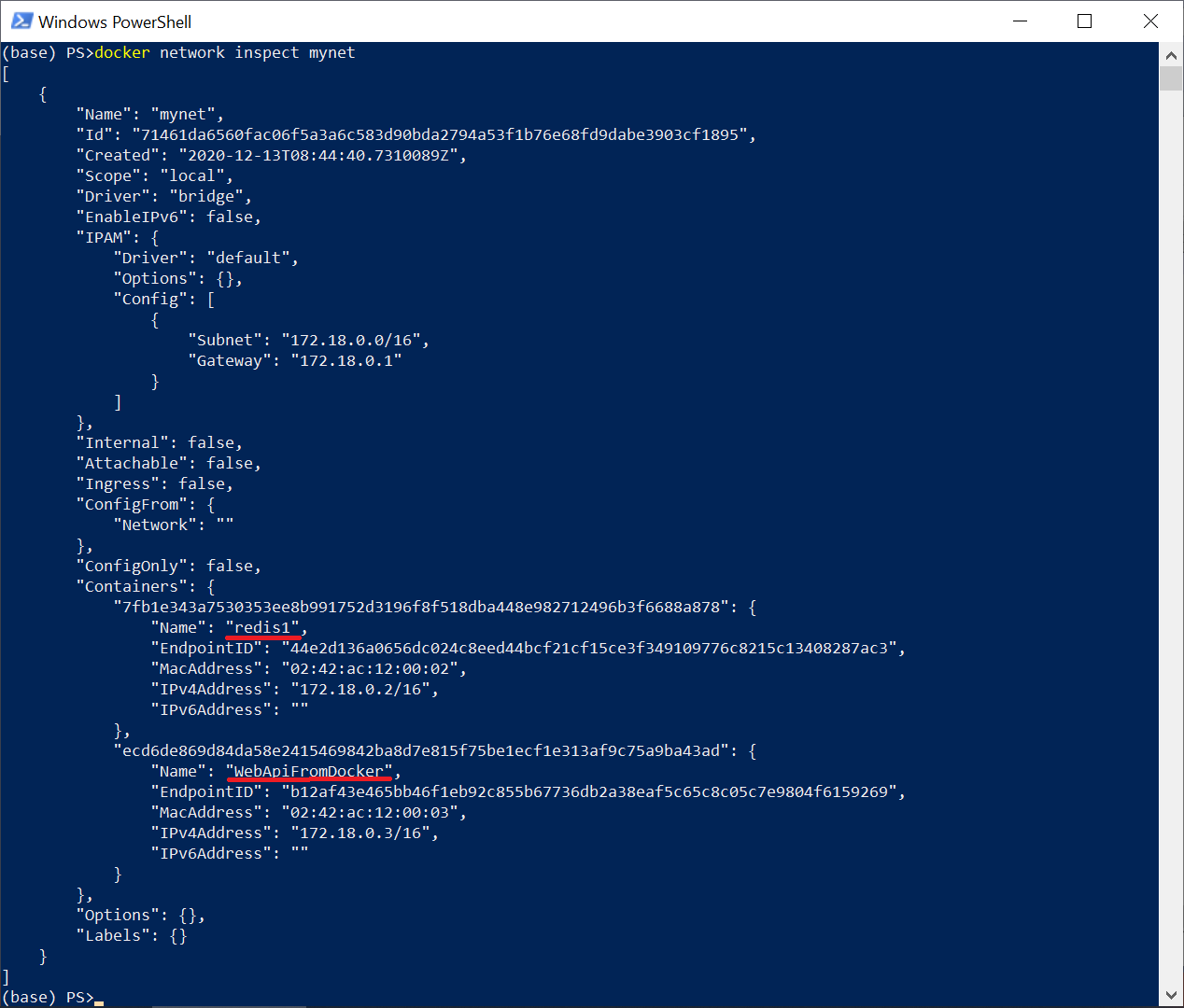
Em seguida, teremos certeza de que todos os contêineres necessários estão na mesma rede
docker network inspect mynet
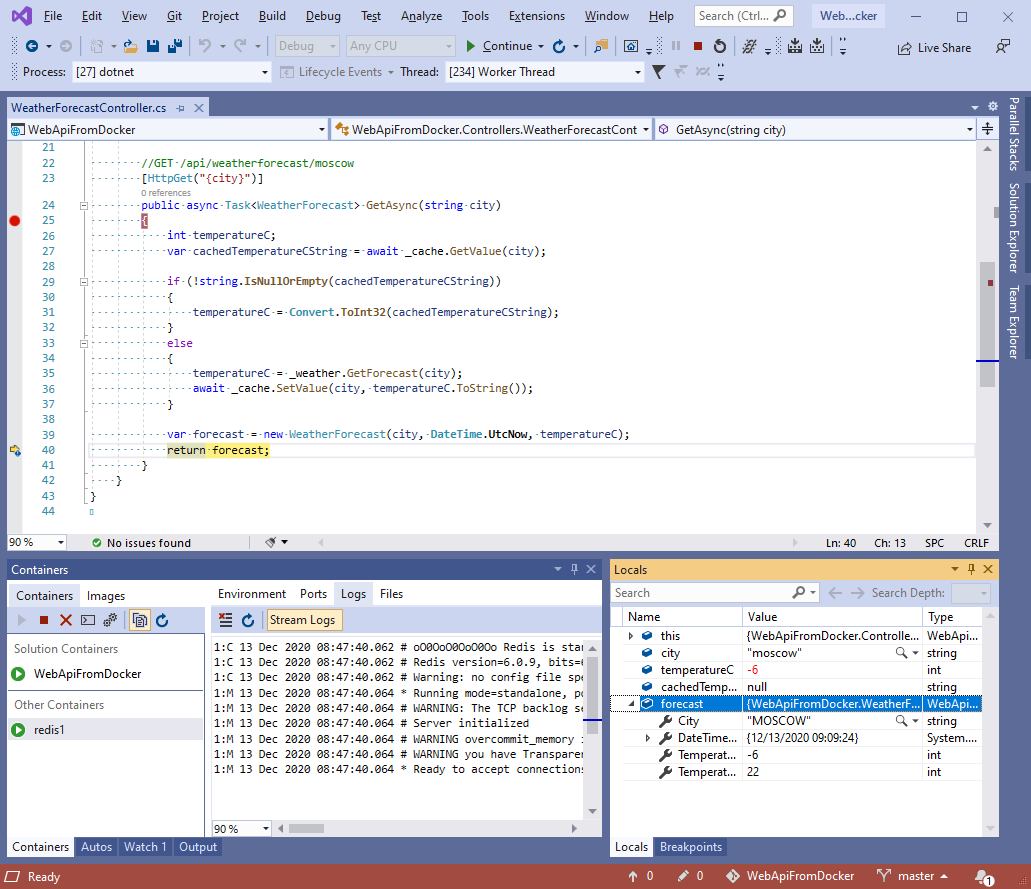
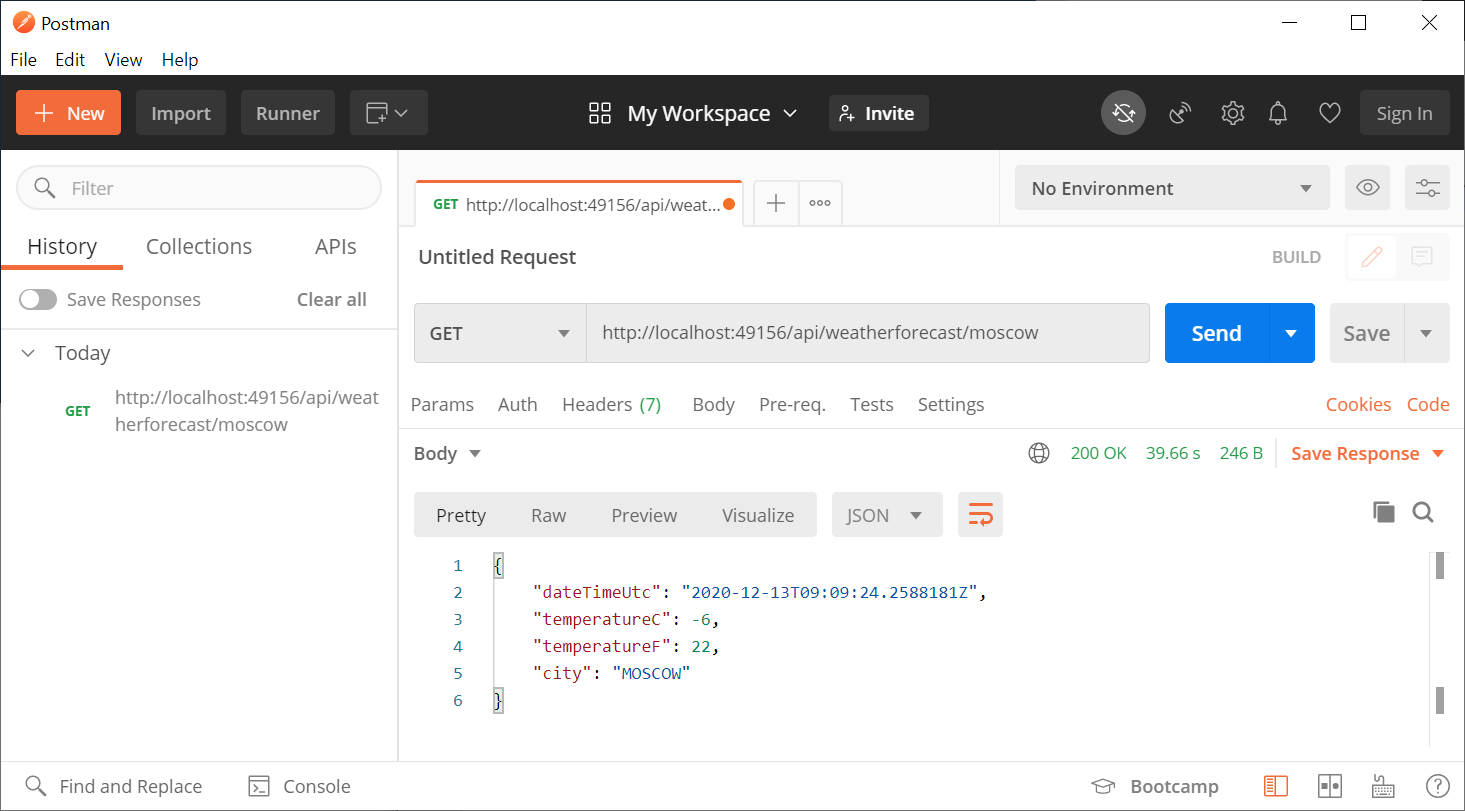
A seguir instalaremos o Breakpoint em um único método do controlador e enviaremos uma solicitação pelo Postman , ou por qualquer navegador
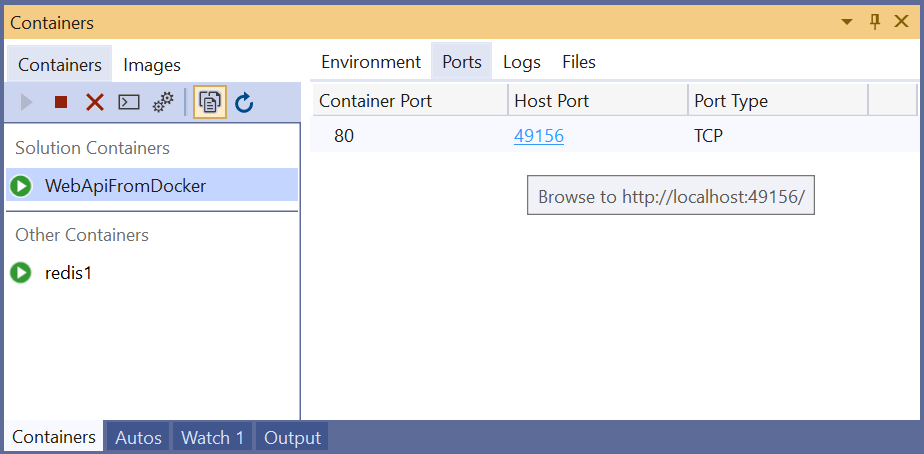
http://localhost:49156/api/weatherforecast/moscow
A propósito, a porta usada no seu caso pode ser diferente e você pode vê-la na janela Containers
Resultado na janela do Postman
Além disso, certifique-se de que o valor está comprometido com redis conectando-se usando o console redis-cli
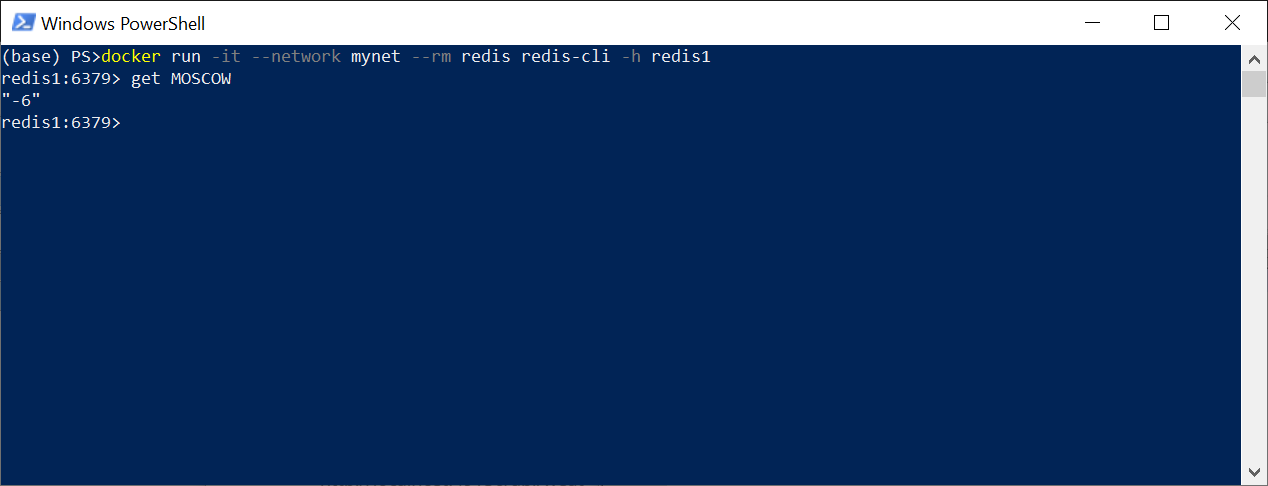
Ok, tudo funcionou como planejado!