O Unreal Engine 4 fornece funcionalidade suficiente para o desenvolvimento de jogos completos para plataformas móveis. Infelizmente, o tópico não é bem coberto e o processo de construção do aplicativo em si está cheio de bugs. Resolvi resumir as informações que são relevantes no momento e compartilhar minha própria experiência de superação desse difícil caminho. Este tutorial cobre os seguintes processos em detalhes:
Configurando um projeto para desenvolver um aplicativo móvel
Criar uma versão de lançamento do aplicativo
Criação de DLC e sua conexão com o projeto
Baixando DLC do servidor
Nós vamos precisar:
Unreal Engine 4.25.1
Python 3
Node.js (opcional)
Dispositivo Android com porta USB funcional
Criação de projetos e preparação de conteúdo
Se você já tiver um projeto concluído, pode pular esta etapa.
Crie um projeto C ++ vazio
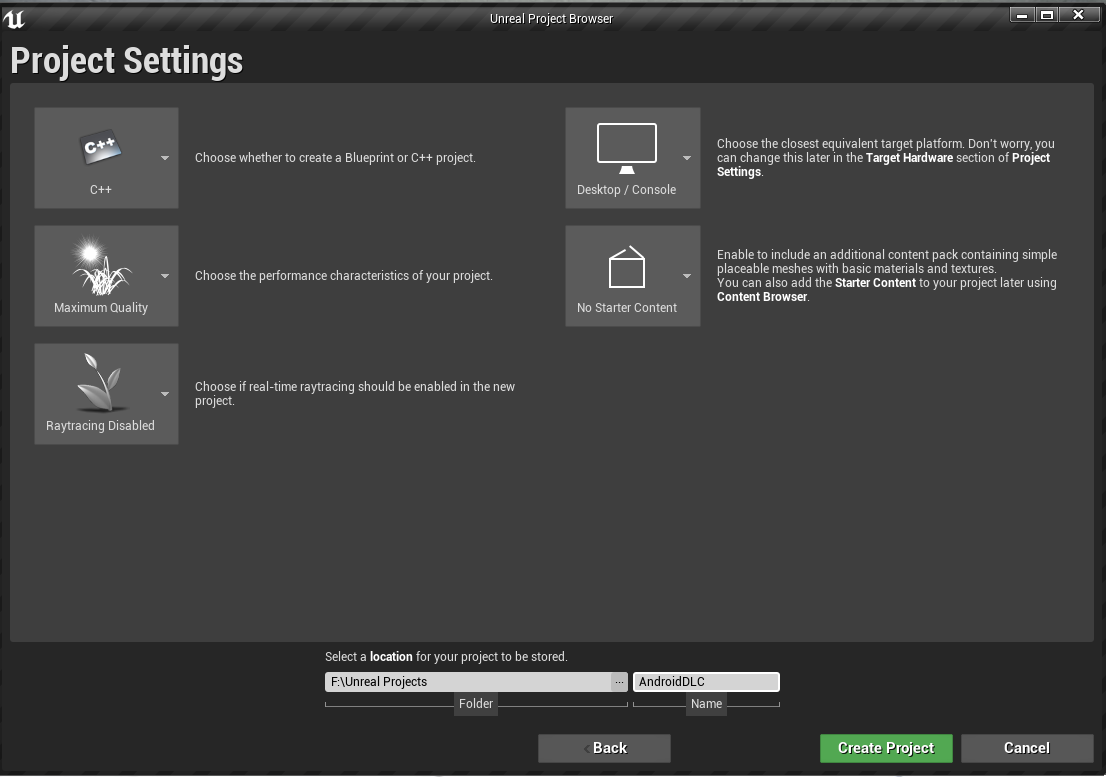
Crie uma estrutura de pastas no diretório de conteúdo

Adicionar cartas
Salve o nível inicial em uma pasta MapRelease chamada Release_Map
Criar um novo nível via Arquivo-> Novo nível-> Padrão e salve-o no MapDLC pasta chamada DLC_Map
Crie conteúdo de teste
Criar um ator para testar o trabalho do conteúdo
Abrir Release_Map
Crie um Blueprint Actor na pasta MapRelease e nomeie ReleaseCube
Na mesma pasta, crie Material, nomeie-o m_cube e defina qualquer cor para ele
ReleaseCube Static Mesh Component
Details Static Mesh None
View Options, Show Engine Content
None Cube
Material (m_cube)
ReleaseCube Release_Map
Level Blueprint

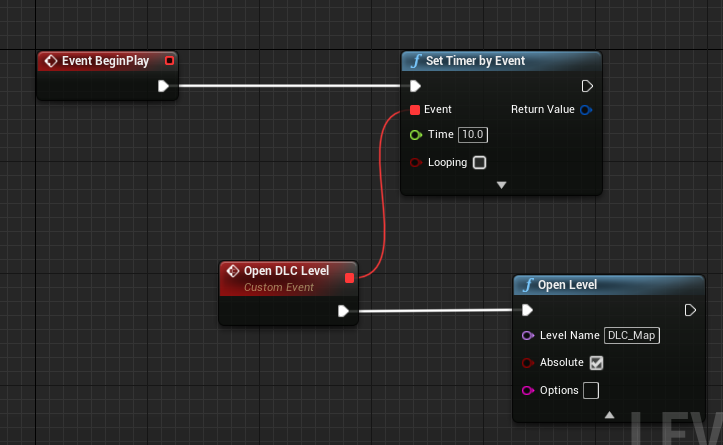
DLC_Map. Blueprint Actor DLCSphere m_sphere MapDLC. DLCSphere DLC_Map .
Edit->Plugins. . , .
Android Runtime Permission
Online Subsystem
Online Subsystem Null
Online Subsystem Utils
TCP Messaging
UDP Messaging
Mobile Patching Utilities
GooglePAD
Online Subsystem Google Play
Actor Layer Utilities
Actor Sequence
Alembic Importer
Apple Image Utils
Apple Movie Player
Audio Capture
Cable Component
Camera Shake Previewer
Chaos Cloth
Chaos Cloth Editor
Cahos Niagara
Cahos Solver
CahosEditro
CharacterAI
Custom Mesh Component
Editable Mesh
Facial Animation Bulk Importer
Level Sequencer Editor
LigthPropogationVolume
Magic Leap
Magic Leap Light Estimation
Magic Leap Media Player
Magic Leap Passable World
Mesh Painting
Niagara
Oculus VR
Online Subsystem iOS
Paper2D
PhysX Vehicles
Procedural Mesh Component
Steam VR
Edit-> Project Settings.
Target Hardware Mobile/Tablet

Game Default Map

Packaging .
Packaging

Share Material Shader Code. DLC .
Packaging


:
Create compressed cooked packages —
List of maps to include in a packaged build — ( ), .
Project

Full Rebuild
, For Distribution . (gradle)
Rendering

Rendering , — Bloom. .
. . , . Support Atmospheric Fog, Atmospheric Fog World Outliner. Sky Sphere . .
SDKConfig

(com.YourCompany.[PROJECT]). . aBigCompany YourCompany MyProject (AndroidDLC). . My Project with DLC.
APK Packaging


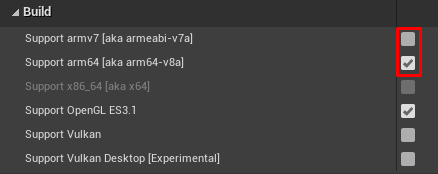
Windows. :
keytool -genkey -v -keystore MyProjectKey.keystore -alias MyProjKey -keyalg RSA -keysize 2048 -validity 10000
. .

C:\User\(Current user) MyProjectKey.keystore.
Build Folder (…\AndroidDLC\Build\Android) .


().
Project Launcher
Window->Project Launcher.
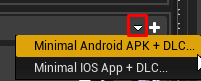
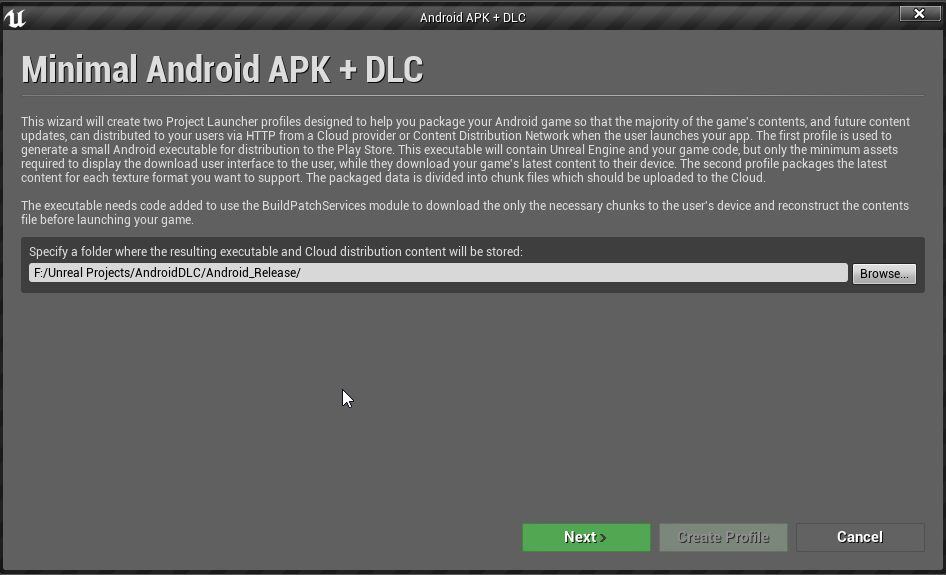


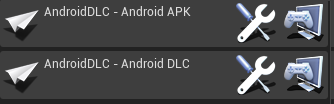
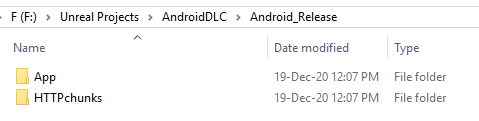
, . - .
Any Project :

Google Play APK DLC Shipping . Development .
Android APK
Android APK.
. :

, :

:

APK
:

Done Project Launcher.
, . , ...\AndroidDLC\Saved\Cooked\Android_ETC2.
EngineMaterials

, DefaultBloomKernel.uexp. Bloom , *.pak , , .
DLC
DLC Unreal Engine 4 . *.pak , .
, . . , , ( ).
DLC
Edit -> Plugins.
New Plugin
— Content Only
(DLC1)
Create Plugin

.
Android DLC
Android DLC.
, DLC, , Android APK. :

:

…/Android_Release/HTTPchunks DLC1.0 DLC.
Browse DLC:

:

, DLC:

DLC
DLC:

:

- *.mainfest:

, . …\Android_Release\HTTPchunks\DLC1\Android_ETC2. :

DLC1\AndroidDLC\ *.pak . AndroidDLC\Plugins\DLC1\Saved\Cooked\Android_ETC2
CloudDir .
Android_Release\App\1.0\Android_ETC2.

Install_AndroidDLC-arm64.bat . , .
My Project with DLC . Release_Map. 10 DLC_Map, .
DLC Mobile Patching Utilities
Android, .
Level Blueprint Release_Map.


Request Content DLC :

:
Remote Manifest URL — yourserver.com/manifest_name.manifest
Cloud URL — yourserver.com/[folder_with_ChunksV3_folder]
Install Directory — ( — DLC)
ChunksV3 CloudDir:

ChunksV3 *.pak DLC, .
Install Directory , , :

*.pak Mount:

Pak Order —
Mount Point — .
, . Node.js.
:
http-server "F:\Unreal Projects\AndroidDLC\Android_Release\HTTPchunks\DLC1\Android_ETC2\CloudDir"


Level Blueprint
Remote Manifest — http://127.0.0.1:8080/AndroidDLC_AndroidDLCDLC1.manifest
Cloud URL — http://127.0.0.1:8080
Play, Release_Map. ...\AndroidDLC\PersistentDownloadDir\DLC *pak , .

DLC
DLC . , *.pak .
Level Blueprint

Android APP . AndroidDLC-Android_ETC2.pak AndroidDLC_AndroidDLCDLC1.manifest APK.
APK

Install_AndroidDLC-arm64.bat . :
%ADB% %DEVICE% shell rm -r %STORAGE%/Android/data/com.aBigCompany.MyProject/files/DLC %ADB% %DEVICE% push AndroidDLC_AndroidDLCDLC1.manifest %STORAGE%/Android/data/com.aBigCompany.MyProject/files/DLC/AndroidDLC_AndroidDLCDLC1.manifest %ADB% %DEVICE% push AndroidDLC-Android_ETC2.pak %STORAGE%/Android/data/com.aBigCompany.MyProject/files/DLC/AndroidDLC-Android_ETC2.pak

. . , DLC .
DLC

DLC
.
FTP , FileZilla.
Site Manager

New Site
(FTP Port : 21)
Connect

DLC
app-content. DLC.

. :
func.php
<?php
function generateLink($link){
return '<a href="'.$link.'">'.$link.'</a>';
}
function genFileStructCurrentDir($root_dir){
if (is_dir($root_dir)){
$files = opendir($root_dir); {
if ($files){
while (($item = readdir($files)) !== FALSE){
if ($item != '.' && $item != '..' && $item != 'index.php'){
echo generateLink($item) . " <br>";
}
}
}
}
}
}
?>
index.php
<?php
include '/var/www/uXXXXX/data/www/[YOUR_DOMAIN]/func.php';
?>
<html>
<head></head>
<body>
<?
$full_dir = __DIR__;
genFileStructCurrentDir($full_dir);
?>
</body>
</html>
include:
include '/var/www/uXXXXX/data/www/[YOUR_DOMAIN]/func.php';
:

web-file-gen.py - Python index.php DCL1.
web-file-gen.py
import os
import shutil
path_to_index = 'index.php'
def copy_file_to_directory(destination:str, path_to_file:str):
if os.path.isdir(destination):
shutil.copy(path_to_file,destination)
def get_subdirectories(root_dir:str):
out_list = []
if os.path.isdir(root_dir):
for item in os.listdir(root_dir):
rel_pth = f'{root_dir}/{item}'
if os.path.isdir(rel_pth):
out_list.append(rel_pth)
out_list += get_subdirectories(rel_pth)
return out_list
def copy_file_to_dirs(dir_list:list, path_to_file:str):
for folder in dir_list:
if os.path.isdir(folder):
copy_file_to_directory(folder, path_to_file)
dir_list = get_subdirectories(os.getcwd())
copy_file_to_dirs(dir_list,path_to_index)
input("Done")
.../www/your_domain func.php.
.../app-content index.php DLC1.
http://your_domain/app-content/DLC1/ChunksV3/
Edite o Level Blueprint

Altere a URL para baixar arquivos, reconstrua e reinstale o projeto em seu dispositivo móvel.
O DLC agora está sendo baixado e instalado.
Conclusão
Recomendo que você pense com antecedência na organização dos arquivos em seu aplicativo. Tente manter todo o código e recursos usados em diferentes DLCs na montagem principal. Essa abordagem eliminará arquivos duplicados e reduzirá o peso geral do aplicativo.
Espero que este material ajude a economizar o tempo de alguém.